The Wrath of Kon

Dispatches, thoughts, and miscellanea from writer Jon Konrath

Tag: tools

Scrivener stuff, 2026 edition
Screen-Shot-2012-03-24-at-9.20.34-AM

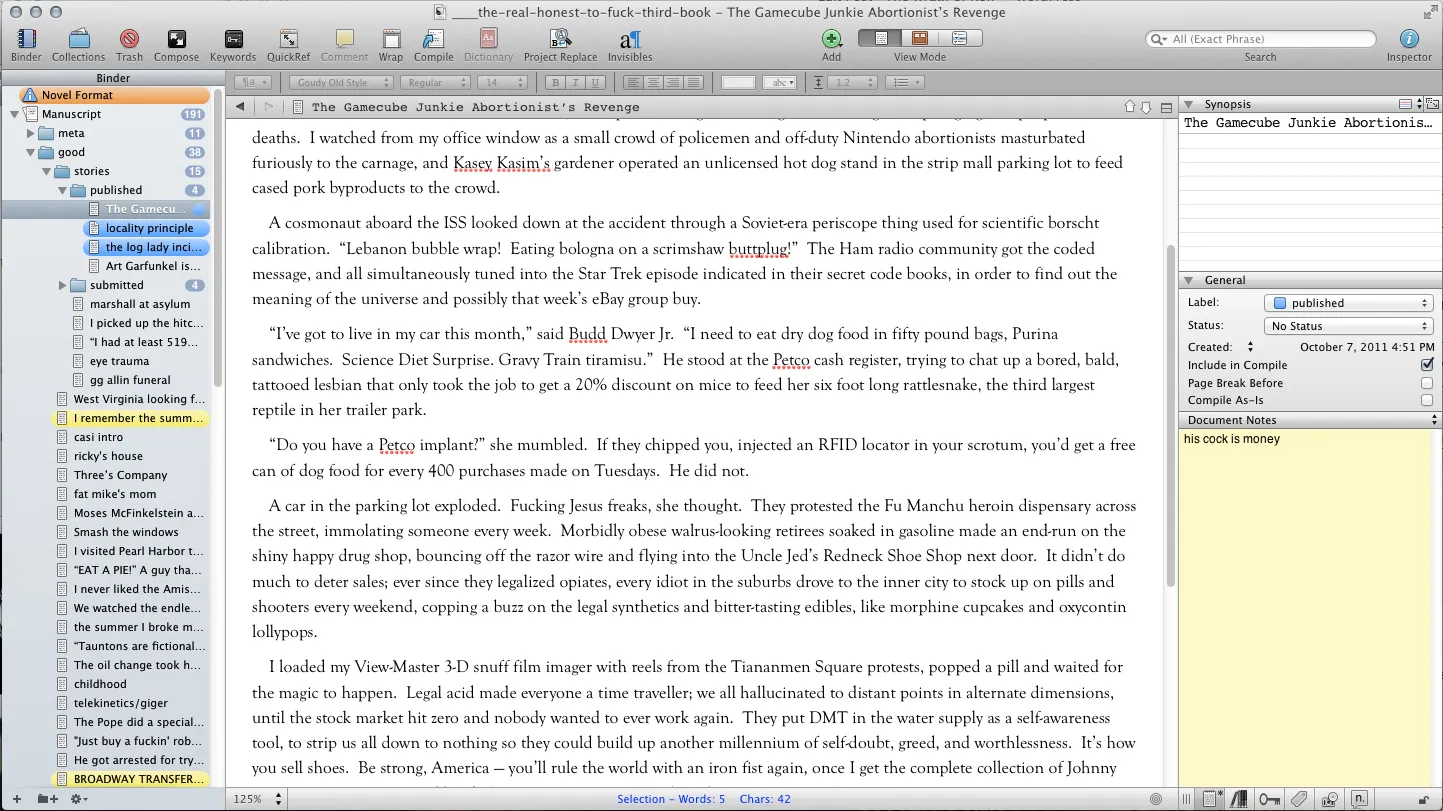
I write my books with Scrivener. I have since 2011. It has a daunting learning curve, and I feel like I used 10% of the features on my first book with it, and slowly gained maybe 2% per book. I’ve previously written posts here and here on tips and tricks. I’m not trying to make this a “make big money self-publishing your books!” blog, but I have a need to write this stuff down so I don’t forget it and can find it later. So, here’s another crop of answers for you. Caveat emptor: there are probably better or more preferred ways of doing this. I just beat things until they work.

OK, here we go, in no particular order.

Show the number of files in a folder in the binder

View > Outline > Show subdocument counts in binder. (There is also a View > Outline option at the top of the View menu, which is confusing.)

Show where the current scriv is in the binder

Navigate > Reveal in Binder. Or Cmd-Opt-R. Memorize that; I use it 50,000 times a day.

Exporting keywords

  1. Create a blank text document.
  2. Open the keywords (Project > Show Project Keywords, or Cmd-Shift-K)
  3. Click the first one; shift-click the last one.
  4. Drag them into the blank text document. This exports a comma-delimited text list of the keywords

Adding your own icons

  1. Go to https://www.iconsdb.com and download a 32x32px PNG.
  2. Right-click an item in the binder,
  3. Change Icon > Manage Custom Icons, and add your PNG. Note the name in the menu will be the name from the PNG, so rename the PNG accordingly.

Wordpress import

  • You can drag HTML files into the Research section of Scrivener, but not Draft.
  • After they are dragged in, they are uneditable web archives. Go to Document > Convert > Web Page to Text
  • There was a wp2epub plugin that would also do html, but it’s broken in new Wordpress versions, hasn’t been updated in 167 years.
  • Tried WP2Static for this… it was slow so I stopped
  • There was an XSL for this see https://www.literatureandlatte.com/forum/viewtopic.php?f=19&t=34656&p=223492#p223492 but it no longer works, I get errors.
  • This is horrible but you could export Wordpress to Jekyll…
  • Another option: https://wordpress.org/plugins/aspose-doc-exporter/ - couldn’t get this to work
  • wp2static - crashes
  • I might have to do this again soon, so stay tuned.

The delete comment bug

If you add a comment to some text, then remove the comment and edit the text, the hyperlink text comes back, but with no attached comment

Workaround: highlight the text, delete the comment, cut the text, then Paste and Match Style it back.

Background image

Scrivener 3 - change the background image in compose mode: Project > Project Settings > Background Images (this moved since 2)

Searches and collections

You can turn on and off viewing collections with View > Hide Collections and View > Show Collections. Normally I turn them off because it drives me nuts to have them there and waste space in the binder.

But, here’s how you use them.

  1. Do a search on the project, Cmd-Shift-F
  2. Search on something fun, like do a search on a keyword or a status
  3. Click the magnifying glass to the left of the search term again. Scroll all the way to the bottom and select Save Search as Collection.

Now, that search is going to be in the Collection part of the binder. It’s also going to be dynamic. So for example, if you have a keyword for a character (or whatever) and you save a search as a collection, that collection will enable you to quickly pull up that list of documents.

Numbering problems

This is confusing, bear with me.

Let’s say you have a book that’s three acts and a hundred scenes in each act. You want each act to have a title page, and then each scene is its own deal.

Then let’s say you want number the scenes, like with a number at the top of each one. What’s going to happen is the title page is 1, and your first scene is numbered 2, and you probably want it to start at 1, right?

  1. File > Compile
  2. Select a Format in the left column (or create a new one).
  3. In the right column, set all of the scrivs to a section type. For this example, I’m using Chapter Heading and Scene, plus Front Matter for stuff that’s not part of the book itself.
  4. Click Assign Section Layouts. Select Scene.
  5. (Tip: if you do this 19 times in a row because you keep changing this, it will always open at the first section type. You’re inevitably not editing the first section type. You open it, you’re in the first type, and it doesn’t look right, and you’re sure this stupid program burned you again. It’s because you’re in the wrong section type. Always click the right one first. This is annoying that it doesn’t persist your selection, but here we are.)
  6. Pick a layout for the Scene. Hover over it and click the pencil in the upper right to edit it. Then click Edit Layout.
  7. If you’re using a number and a title, click Title Options and in Title Prefix, put <$n:scene>. Don’t put <$n> or it will increment when the title pages are incremented.
  8. If you want only a number, don’t do that. Go to Prefix, and in the Section prefix, put <$n:scene> and center it or whatever you need to do.

Start numbering at 0

We get it, you studied computer science.

Use a placeholder <$n-1> instead of <$n>. Or <$n:scene-1>. Internally the counter is still 1, 2, 3 etc. But when you display it, you are subtracting one so it’s 0, 1, 2, etc. (It doesn’t actually modify the value of the counter. It just displays it one lower.)

Yes, Scrivener doesn’t call them variables. They’re called placeholders. If you’re searching their manual, it’s called a placeholder, not a variable. I’ll use the words placeholder and variable once again so this actually shows up in search, like it doesn’t in their manual. Placeholder=variable.

How many comments are in my document?

grep -r "Comment ID" my-book-file.scriv/Files/Data | wc -l

Let me know if any of these are helpful or blatantly wrong. Like I said, I don’t always know what I’m doing, but I’m sure I’ll need to know the same exact thing later.
Ode to a 2020 MacBook Pro

mbp-2024

Time for another one of these posts. This upgrade is not as catastrophic as a battery explosion like last time. It does have a slightly dumb story to it, though.

So yesterday, I was supposed to fly to New Orleans. If you’ve known me for a few years, you know Louisiana is one of the last states I have to visit, and I’ve been trying to go there for a while. And every time I book a ticket to New Orleans, something catastrophic happens. The first time I tried to visit, I booked a ticket on September 10th, 2001. That obviously didn’t work out. Then I tried booking a trip in the summer of 2005, and that August, Katrina showed up, and I had to cancel again. This time, it looked like we were going to make it, but Sarah caught COVID last week, and I had to cancel a third time.

I’ve wanted to update this 2020 Mac for a while, but also didn’t want to, because it’s an Intel, and I don’t know what software on this machine requires an Intel processor. I know VMWare does, but I haven’t used VMWare in forever. It seems like every time I fire it up, they’ve upgraded a major version and mine doesn’t work anymore and I have to give them another hundred dollars. Meanwhile at work, I’ve been on Apple Silicon for a year and a half with no problems and a decent speed increase. And the 2020 has been slowly aging out. Firing up Photoshop or Lightroom almost always kicks in the fans, and even basic Safari usage is getting pretty sluggish. So I’ve wanted to make the switch, but I keep dragging it out. But with a huge negative balance on my Amex and a week of staycation where I’ll be confined to my office, it felt like now was the time.


Whenever I retire a machine, I always think back to what I got accomplished with it. And this machine is somewhat depressing, because a good chunk of its tenure was when I “quit” writing. The Failure Cascade is the only book I released while on this Mac. There were also two zines, and a bit of writing that was unreleased. During the time I wasn’t writing fiction, I did finish two master’s degrees, and that required a ton of writing. And since I “unquit” writing, I’ve done a fair amount of fiction writing, and hope to get something released soon.

This laptop did travel a lot more than any of my other machines, even though there were a few years at the start of the pandemic where it never left my desk. But since 2022, it’s been to Sweden, Iceland, the UK, Qatar, India (twice), the UAE, Poland, Singapore, Hong Kong, Vietnam, Taiwan, Switzerland, and Spain. In the US it went down to LA twice, Reno, Vegas, Indiana, Illinois, and Wisconsin. Hauling a full-sized 15-inch laptop (and sometimes two of them) wasn’t pleasant. But it was nice to have everything with me when I was on the road.

I still wish I would have gotten more writing out of this machine, though. I guess that gives me a goal for the next one.


I went on the Apple store online on Friday night to do the deal and go buy a new MacBook Pro, but they did not have one in a store with a 2TB drive. I ordered a custom build, and it said it would take two weeks. Today I was at the mall-not-mall in Emeryville for lunch and decided screw it, I’ll just get the 1TB version.

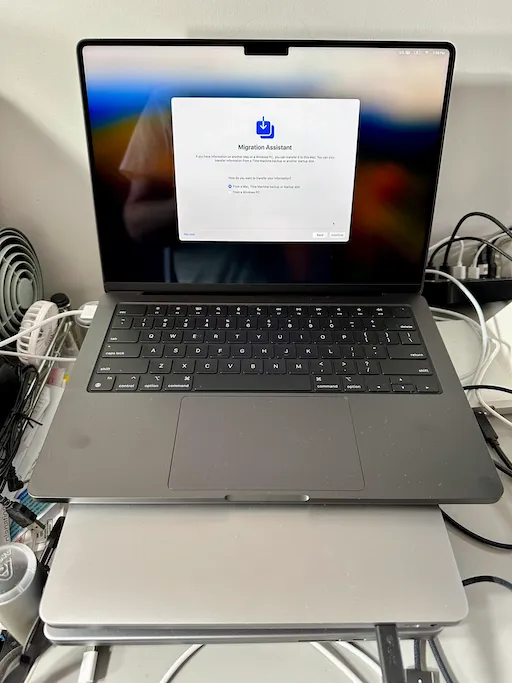
The latest iteration is the 14-inch Nov. 2023 MacBook Pro. It’s the Space Black model, with the M3 Pro 12-core CPU/18-core GPU. It has 18GB unified memory and the 1TB drive. I decided on the 14-inch after hauling around a 16-inch on all those long trips. I think I can sacrifice a little bit of screen size for a much easier haul. The new one is almost a pound lighter, and maybe two inches of width and an inch of depth smaller.

So the upgrades on this machine… aside from the architecture change (I’ll get to that), there’s a display that’s twice as bright with a higher refresh rate; an HDMI jack; the return of MagSafe, with its own port; the ports go from Thunderbolt 3 to 4; a built-in SD card reader; a better camera; better WiFi; real function and Esc keys; the ability to do Spatial audio; and a huge increase in battery life. (It says “up to 11 hours” on the old one and “up to 18 hours” on the new one.)

Missing on the new model: the Intel chip; the AMD Radeon Pro GPU; the Touch bar (good riddance), and one Thunderbolt port. The HDMI port is on what I consider the wrong side, since I keep the thing sideways on the left side of my desk. Same with the headphone jack, although I seldom use it these days. (It’s nice to have, though.)

The compute stuff is huge. Looking at the Geekbench score, it’s between double and triple the performance. GPU performance is also doubled. But the ML inference score, the ability to run data points into a machine learning model, is insanely improved, something like twenty times faster. I don’t even know or understand exactly what the Neural Engine or the Media Engine do, except my old machine didn’t have them. And now I have the ChatGPT app on the Mac, which I can use for my KonGPT.


Of course, the upgrade was a major pain in the ass. I always forget this, but you need a real, honest-to-god Thunderbolt cable, and Thunderbolt != USB-C. I spent hours churning away on various iterations of upgrading the old machine, updating the new machine, doing backups to disk, and trying to get an Ethernet cable to work. It turns out that trying to migrate from an external drive is roughly as fast as trying to type in all your old documents by hand. Using Wi-Fi is an order of magnitude slower than that. I eventually did some magic dance between the two machines to get Ethernet running directly between the two, and then it took about two hours to pull over everything. I also bought a real Thunderbolt cable for next time, although I’m sure I will lose it.

The new machine is humming away. I’m actually on it now. It’s always strange to swap in a new machine, but I’m at the old screen, old keyboard, old trackball, and the same background images and icons and junk on the desktop.

I haven’t taken it through its paces yet, and I’m still solving little problems one by one. But even saying the word “Lightroom” in the same room as my old computer would make the fans jump to life. Now, going to a photo in Lightroom instantly generates the preview from RAW without any hesitation.

Sarah’s testing negative and is mostly better. I’ve got a week of staycation. I need to get back to writing today. In July, I managed to write and hit my quota every day, so I’m getting back to it.

Day 167

I don’t really know how many days into the lockdown we are. I suppose I could figure it out. I also suppose I could update more here, instead of just when something breaks. But there’s not a lot otherwise going on.

So remember last year when my iPhone 8 blew up? Almost exactly a year later, the replacement started swelling again. I wasn’t planning on upgrading for a while because I was fully paid up on the old one, and I figured the year-old replacement would last until Apple came up with a reason for me to get a 12 or a 13 or whatever. Well, there’s my reason. I bought an iPhone 11 Pro, and paid far too much for it. The Apple Store near me is open in a limited fashion now, so I did an in-store pickup, where I showed up at an appointment time, stood out on the sidewalk, and got the phone brought out to me. I bought it straight-up instead of dealing with any of AT&T’s byzantine payment plans. That part was easy enough.

The migration, which is supposed to “just work” did not work. It took me four tries, about a half day. I thought I’d just sync the old phone to my Mac, then plug in the new phone and restore to it. I don’t know why it took so many tries to get this to work. One thing I noticed after my first fail is that the cable I bought a year ago and the cable that came with the phone were different. They are both Thunderbolt (aka USB-C) to Lightning, but there’s some internal difference. The same thing happened with the laptop last May. There’s some subtle difference between USB-C and Thunderbolt, or there’s some difference between data cables versus charging cables versus fast-charging cables versus… whatever. And of course all of the cables are white, and look identical. I found out that some of the newest cables have a very light gray number on them, like instead of the RGB value of #FFFFFF for white, it’s #FEFFFF, and you need a jeweler’s loupe to read it, and then you have to google the value, and it’s on the seventh page of results because the first six are rumors about the next iPhone or something.

The new phone has a larger screen, but is about the same size. It has Face ID, which is fairly useless. First, it can’t identify me with no glasses, or with a mask on. Also, I’m in the habit of grabbing my phone and unlocking it while it’s still in my pocket or on the way up, and that’s impossible now. I also can’t unlock it while it is on the dashboard of my car. Also, I bought the battery case, so the phone is far too heavy and thick. I am almost sure I will drop it in the near future. And the gestures to use it with no home button are annoying.

The new camera is interesting. It has a portrait mode, which simulates a low depth-of-field lens, which is nice. It also has a wider lens, which is good for landscape photos. There is a night mode, which might be useful if I ever leave my house at night again, which won’t be any time soon. Overall, the camera stuff is neat, but for this price, I could have bought a nice DSLR or mirrorless camera.


Another Apple semi-fail is that the Airport Extreme I bought a few years ago was showing its age, or maybe having Sarah work upstairs full-time was requiring better WiFi coverage. I have bad luck with routers and they always seem like a perishable product; after two or three years, they just go rotten, and no firmware update or restore will make them better. Apple doesn’t make routers anymore, so after much research, I ended up with a Ubiquiti Amplifi HD. It works, but I’m not in love with it. First, it took a few tries to get it started. (They insist that you reboot your cable modem during setup, which makes no sense, but it didn’t work until I did, so I guess that’s my fault.) It uses a cutesy phone app for all configuration, and I’d rather have an actual browser-based admin. I also wouldn’t mind better logging or something (I’ll get to that in a second) but it seems to work fine. I have the router downstairs, and the mesh stations in the living room and upstairs, and it has roughly doubled performance up there, so mission accomplished.


On to the next problem. Right after I got the new phone set up, Comcast started complaining that we were close to our data cap of 1.25 Terabytes. They’ve waived the cap for the last few months because of COVID-19, but now that COVID is completely cured and everyone has returned to the office, they’ve started charging people for going over again. Wonderful.

This started the anxious exercise of trying to figure out how we’re using so damn much bandwidth. Of course, plugging in a new phone meant it automatically had to redownload every app and a bunch of big updates, so that’s probably fifty gigs. And as I looked at my machine, I realized my Backblaze cloud backup was then uploading that fifty gigs of updates, so I got double-taxed on it. I installed a copy of Bandwidth+ and Little Snitch to try to figure out where all of my data usage was coming from, and man that is horrible.

First of all, Apple is downloading monster updates constantly. Every little point release of iOS or MacOS is at least five gigs of data, and on my desk, I’ve got three different devices. And like I said, those are all getting backed up. (I stopped doing that, so that’s some savings.) But it’s also amazing how much a Mac will change over the course of a day. I started scheduling my Mac to back up at midnight, and it would send a few gigs of data up. Then I’d wake up, do nothing for nine hours, and Backblaze would say it had a half-gig of updated files ready to back up. I’d look, and it was all crazy iCloud stuff, the Mac recording Siri suggestions even though Siri was deleted, tons of deltas on files in the calendar and email programs that had been doing nothing. I have no idea how to stop any of this, but with two Macs in the house doing this, there’s like ten percent of the 1.25 TB right there.

Another thing with Little Snitch - ok, so this is a program that will fire up an alert every time anything tries to make an internet connection, and then you can set up automated rules to allow or block certain things. It also shows you what programs are using the internet, and tracks their usage. (My router problem: I wish I could do this for every machine in my home, like at the router level. I know if I spent two grand on a pro Cisco router, I could do this. But my little consumer one won’t.) Anyway, it is amazing how much some programs hit the outbound connection. Like if someone in my house even says the word “Adobe” I get a dozen outbound connection requests. Creative Suite is basically a piece of malware that happens to have an image editing program in it.

Facebook is also particularly bad. Even though I think I’ve disabled whatever video auto-play is in FB, it will hit this one video CDN continually, preloading things it isn’t showing me, to a tune of a gig per every few minutes. I know, quit Facebook. But it’s amazing how blocking that CDN saved me a ton of grief. Even better, I spotted the CDN that auto-loads those annoying videos that pop up any time you go to any news web site. Life is much better after I blocked that thing.

Oh, about the data cap. After much research, I found there are a few options to remove the cap. One is to straight-up pay them $30 a month. The other is to lock into their new xFi router ecosystem, and rent a new modem, and they will remove the cap for $25 a month. I currently rent an older modem of theirs for $14 a month, so they sent me a new router, which I will immediately put into bridge mode and ignore all of their new features, which probably don’t work. I hate to pay that $11 a month, especially with how high the bill is already, but $11 versus obsessing over this every time I launch my browser is worth it.


Not much else is up. I’ve spent a lot of time walking at NAS Alameda and have a ton of photos I should probably organize someday. Other than that, it’s been work, work, work. I have another “vacation” coming up, so maybe I can do something productive that week.

Ode to a 2017 MacBook Pro

IMG_2472

So I was in a meeting yesterday, looking over at my Mac, and the lid didn’t seem to be closed all the way. My only thought was the usual “Apple doesn’t make them like they used to” and I ignored it. A few hours later, at the end of my work day, I went to unplug the laptop and go sit on the couch and write, and I noticed the side of the laptop was popped open, and the battery was swollen.

God damn it.

I got this machine at the very end of 2017. At the time, it was the top-of-the-line 15-inch MacBook pro you could buy from the Apple Store inventory without a custom order. It was great and slim and bigger than my last one, and way too expensive. I moved everything over, went on a trip for Christmas, and when I got home, it was completely 100% dead. No battery, no lights, no plugging in a different power cord, no magic reset NVRAM bullshit, it was flat out DEAD. I went to the store and after much bitching, a manager gave me a brand new one, and a “sorry, that happens.”

I’ve never been 100% on this machine. It had the magic touchbar thing, which is completely useless, except there were no function keys or escape key anymore, so I had to use it. I shut off the other shit, because I constantly hit it while typing. And the typing is bad, too. In the quest to make it thinner and cooler, they put in this dud keyboard that felt like typing on an Atari 400, and even a piece of dust would break a key. There was also the lack of any ports other than TB3, which required a new set of dongles. The machine always felt creaky and weird, like I’d accidentally bend it at some point. I also had some random weirdness with macOS High Sierra, and never dared move up another version.

So anyway, swollen battery. I looked up how to replace it, and it’s a 58-step procedure that involves a heat gun and re-epoxying parts and brain surgery-level disassembly. Nope. Normally, this is where I’d cart it off to the Apple Store, since it’s still under warranty. Not an option during SIP. I called Apple, and my only option is to mail it in and wait a week or ten.

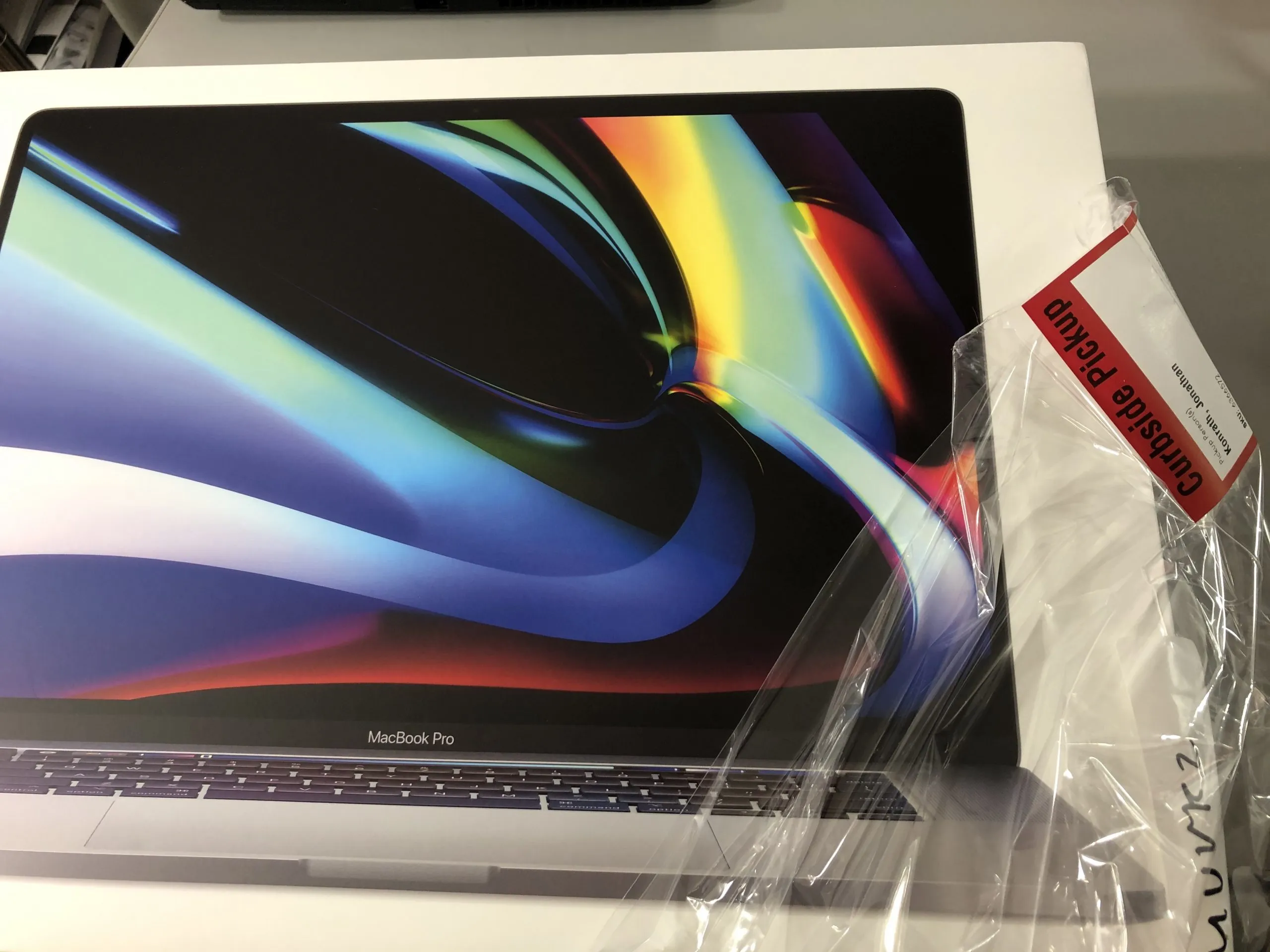
I didn’t want to upgrade. I was hoping to get at least three years out of this machine. But I needed a computer immediately. I ended up going to Best Buy’s web site and buying a new machine, then driving out to Pleasant Hill and doing the weird touchless curbside pickup. You reply to a text to tell them where you’re parked, and a gloved and masked worker comes to your car, looks at your ID, then puts the box in the trunk. Very weird.

The migration went predictably bad. The old and new machines couldn’t see each other on WiFi. Using the Thunderbolt cable to connect the two computers doesn’t work, because there are 167 different types of cable with the same exact connectors, and the “power” version of the cable isn’t data-ready or something. I thought I should just use the backup drive, but before I could do that, the system said it needed to download ten gigs of updates, and it futzed with that for an hour. I plugged in my CarbonCopyCloner bootable clone of the old drive, and it sat for six hours, then crapped out in the middle of the night because it was trying to copy the entire backup, including every file I’ve changed or deleted in the last three years. I restarted it, and six hours later, the files were more or less there.

Then began the real problems. First, I jumped forward to macOS Catalina, which means every 32-bit app on my machine is now broken. Then the barrage of “xyz wants to use your address book” and “abc wants to write to the hard drive” and “123 wants to see your location.” Some damn thing kept asking for my keychain password. It took seven tries to get iCloud to log in. I couldn’t get it to “trust” my iPhone. Adobe’s app manager got stuck in a login loop until I completely uninstalled everything Adobe and started over. The IR remote receiver I have didn’t work anymore. Etc etc etc. I think I’m about halfway stable now, but expect at least a week of fuckery until this calms down.

I seriously think this might end up being the last Mac I buy. We’re entering a dark period like the mid-90s, when Macs were twice as expensive, twice as slow, didn’t use any standard peripherals, and crashed constantly from a bloated OS. The current macOS keeps getting more and more stupid, as they try to unify with the mobile OS and push services more. Rumor is strong that Apple will dump Intel in the near future and move to their own ARM processor, which will be just like the PowerPC days, making Windows emulation impossible.

The problem is, what do I buy instead? I’m too tightly coupled to my other mobile devices. And Windows is horrible - I use it every day on my work machine, and it’s not an option for me. Going back to Linux seems unspeakable at this point. I almost feel like buying a typewriter at this point.

The new machine seems okay so far, now that it is stabilizing. The keyboard is improved somewhat, and feels closer to my 2014. The screen is slightly bigger. The build quality feels a bit better. Same drive size, same memory. More CPU, more cores, and I think the battery is better, but I haven’t gotten that far into it yet. I’ve got to figure out what to do with the old one, when the world is normal, or I give up and mail it in.

And usual reminder: BACK UP YOUR MACHINE. It saved my ass this time, yet again. CarbonCopyCloner, external drive. Anyway, let’s see if I can get more stuff done on the new machine.

The 8

It’s that time again - the iPhone no longer holds a charge, and is slower than slow compared to the new ones, so it was off to the Apple store on Saturday for the next iteration of the handheld computer gadget. I got the iPhone 6s in December of 2015, and was thinking of doing the thirty-dollar battery replacement deal and limping along until summer, or maybe when the 8s or the 8+ or whatever comes out. But, whatever. Easier to start new, I guess.

This time, there are more decisions to be made, since there are three different front-line iPhones available: the 8, the larger 8 Plus, and the X. That’s a bit confusing, because it seems like the X would come out after the 9, and the 8 would be long obsolete. Nope. The X is a “special edition” or something. I have no idea what will happen when they go from 8 to 9 to 10. Or maybe they’ll need to do something else. Anyway, I can’t deal with the larger size phone, so the 8 plus and the X were off the table, and the 8 it is.

I still don’t entirely understand how AT&T Next works. I am on some weird plan or sub-plan that required me to turn in my old phone in the next two weeks, and keep paying the $40 a month or whatever for the next 24 months to pay for the new one. I bought AppleCare, bought a new battery case (mostly so I can hold the phone without it slipping out of my hands) and assorted taxes and fees.

What’s odd is that this is the first time I’ve upgraded and had the same screen size, the 4.7” screen. Each prior upgrade (3G to 5S to 6S) had a change in size. This one is the same, which is slightly underwhelming. In many ways, it feels like the same phone. I even had both phones on my desk the other day, and grabbed the wrong one. It’s not as dramatic as going from a tiny screen to a bigger one of a different aspect ratio.

There are little changes, though. No more headphone jack. I can plug in the included Lightning headphones, which I’ll probably use 99% of the time. There’s a small dongle to plug in standard headphones. I’m not really into Bluetooth earbuds, so I’m not doing that. The only other real change is the home button is slightly different - it isn’t an actual button, but a little dimpled area the size of a button, with haptic feedback. It feels like a button, but won’t get gunk or liquids in there. Oh, stereo speakers are on the bottom now, although I don’t spend a lot of time listening to audio on my phone without being paired to my car or with headphones.

One big difference is that the new phone is much faster. My old one was getting throttled because the battery was dying. The 8 is about twice as fast in benchmarks, but because of the throttling, it’s roughly four times as fast. So scrolling and app launching and whatnot all feel much more responsive. I’m sure I will get used to that in a few days and not notice it anymore, though.

(And I don’t want to get into the argument of “why doesn’t Apple have removable batteries.” Because it’s not 1997. Does the new Samsung Galaxy have a removable battery? Does any phone under a centimeter thick? Does any phone that is even vaguely spill-resistant? It doesn’t come with a floppy disk or S100 expansion bus capability, either. Sorry.)

The other difference is that I optioned up to a 256 GB capacity, up from 64. With 64, I was always within a percent or two from capacity. I also had a byzantine system of playlists to sync only part of my music collection. Now, I have synced all the audio in my iTunes collection, and still have half the phone left. So, time to get more music.

The swap was a bit of a pain in the ass. They activated it as a new phone at the store, then I came home and tried to sync a backup of my old phone onto it. But my phone’s OS was a version newer, so I had to reinstall a new OS to the phone, then wipe it and set it up from backup. I also had to back up, wipe, and restore my watch. All that took a few hours, and syncing over 16,000 songs took a few minutes, but it was otherwise up and running that afternoon.

The strange thing for me is that it’s become slightly easier to let the old phone go. I remember when I replaced my first iPhone, it was bittersweet to return this machine that I’d spent so much time with. But now, it’s like the soul of the machine transfers to the new phone after an upgrade. I’ve still got the same documents, backgrounds, settings, and so on, just in a more robust body. It’s some real Altered Carbon shit.

Anyway, new laptop, new phone, and the iPad is only a year out. The watch is probably the next thing to go, although there’s still a small part of me that thinks I should just get a typewriter and a bunch of index cards and spend the money on a cabin in the mountains or something. The toilet situation is the only thing holding me back, really.