The Wrath of Kon

Dispatches, thoughts, and miscellanea from writer Jon Konrath

Tag: tools

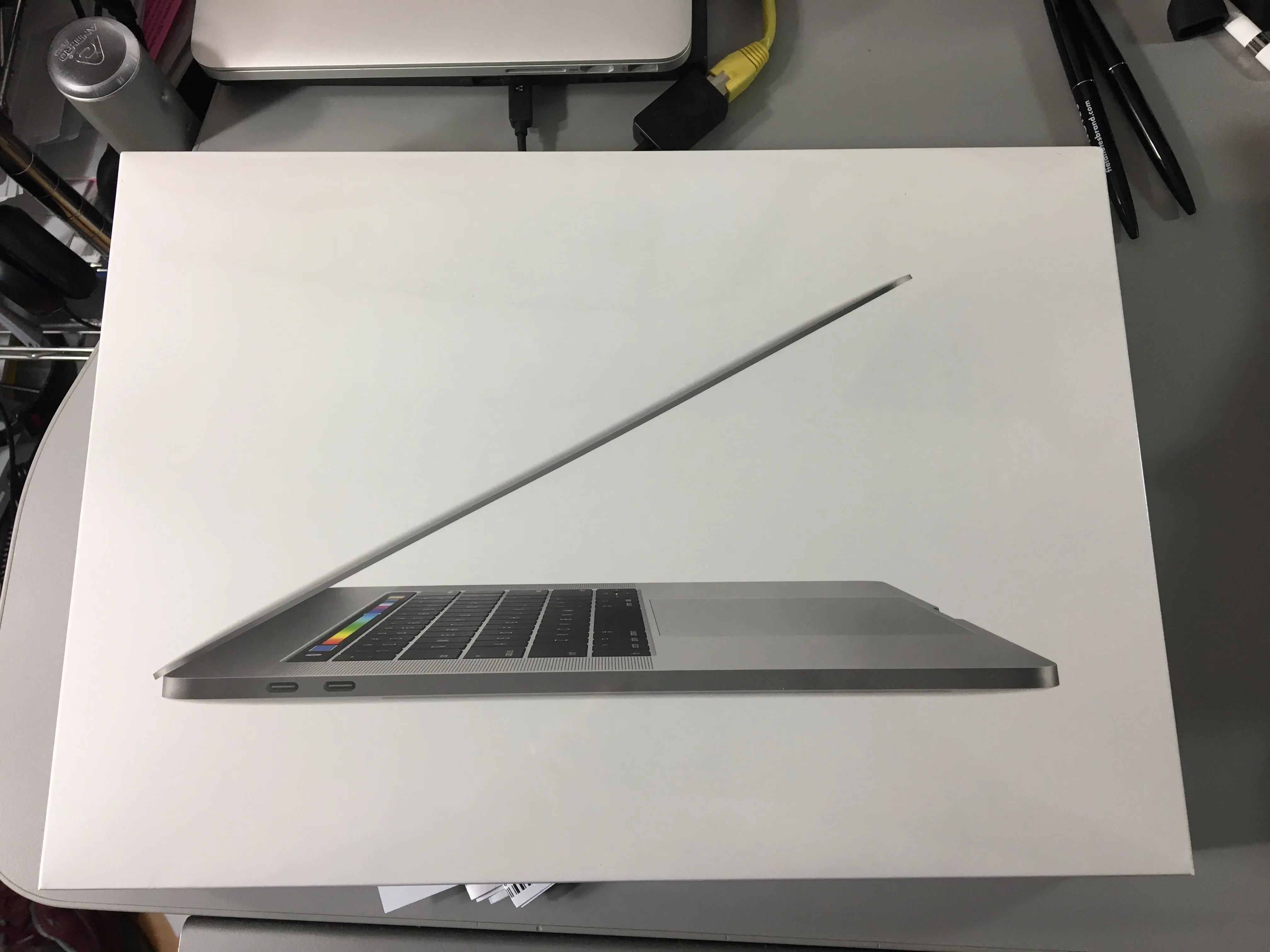
Ode to a 2014 Retina MacBook Pro
FullSizeRender-4

Well, it was time. The Retina MacBook Pro I bought in 2014 reached its retirement, and I got a new one. This one did not have a spectacular death or great failure, but it was getting up there, so I decided to swap it out now, while I could afford it.

Two computers ago, the mid-2010 model I had lasted four and a half years, but had some major problems along the way. It was from the first batch of the dual-GPU machines, and had the NVIDIA curse, which meant two mainboard replacements (within warranty.) There were also two battery replacements, one in warranty, and a later one on my own. A fan crapped out at one point, and I lost one of the rubber feet, and molded a functional but ugly replacement from Sugru. To be fair, I thrashed the hell out of that machine, put some serious miles on it. I still have it, and it still runs, but it’s at the point where the OS doesn’t get updates anymore, and there’s no good browser for it.

The 2014 was a step down in some ways: it was a 13-inch, as opposed to the 15-inch one. It had an i5 as opposed to an i7, and integrated graphics only. But, it was light as hell, very easy for travel. The retina screen was great. And I had no maintenance issues, no repairs, no service, nothing. My only complaints were that the battery is slowly going, maybe 85% of engineered capacity, but losing maybe a percent a week. Its half-terabyte drive was getting pretty crammed. And I was scared to update to High Sierra and break everything, so it stayed at El Capitan. So, no real complaints, but time to move forward.

The bad timing here: my work computer went sideways about a week ago, requiring two trips to Palo Alto to get it wiped, and re-wiped, and re-re-wiped. It got hung up on a Windows 10 update bug, where it would download six gigs of data, spend half a day updating, fail, restore itself, then immediately start the process again. I ended up getting a newer machine, which also had to be wiped/updated, but the whole thing was a giant reminder that I do not like dealing with Windows 10 machines, not that I have any option to migrate all my crap to a machine that doesn’t run any of the programs I use.

I fretted about which machine to get as a replacement. I really wanted a 13-inch machine again, but I really wanted a 1TB drive. By the time you option up a 13-inch machine to get the big drive, it’s almost the same price as the 15-inch. So, that’s what I did. I ended up with a 2017 15-inch, with the 3.1 GHz i7, 16 GB of memory (double what I had), a 1 TB drive (also double), and the Radeon 560 4GB GPU, along with the down-switching to the integrated graphics. Space Gray, which I was 50/50 on, but looks nice.

Probably the biggest pain in the ass is the port issue. The machine now has two Thunderbolt 3/USB-C ports on each side, and a headphone jack on the right (wrong) side. My home setup involves Ethernet, DVI video, and a USB hub with two USB connectors for keyboard/mouse, another for an IR receiver, and then whatever phone or external drive I need to periodically plug in. So, the dongle situation: a TB3 to ethernet; the “AV connector” which has USB/power in/HDMI; an HDMI to DVI; and the existing USB3 hub. I also got a USB-C-to-USB connector for whatever odd thing I need to plug in. And I’m using a USB audio DAC into my monitors. So, two plugs. I thought about a Thunderbolt dock, but they all seem a bit half-baked.

I think the usual screed here is how horrible it is that all ports are going away, Apple is a bunch of fucking evil communists, I can buy a $500 plastic Asus machine at Best Buy that has tons of ports, etc. My general thought is that TB3 is the way to go - much higher throughput, daisy-chainable, and one universal connector. The problem is all the shit that doesn’t use it. But I’ve got that figured out, so, done.

The machine feels a bit heavier, but bigger. We’ll see how it travels, since I am gone next week. Also not sure on battery life, but they tend to get better with each iteration. The keyboard is different. It has Touch ID, which is a little weird, and not that consistent between apps and stuff, but it does work well. Siri is fairly useless on the Mac. I run the machine clamshelled most of the time, so the new touch bar thing is not even on my radar.

I started setting up the machine by hand, copying over files and reinstalling everything, then realized I was going to screw everything up, break my mail or iTunes or whatever. So I gave up, blanked out the machine, and fired up Migration Assistant. I wired the two machines directly with Ethernet, and about two hours later, it finished, and was about 95% set up. Lost a day of writing, but I lost almost two weeks on that Windows 10 machine, so, yeah.

And once again, important PSA: BACK UP YOUR MACHINE. Get an external drive, clone your entire machine on it, and keep doing it regularly. Or use CrashPlan or BackBlaze. Or do both. I didn’t run into any backup issues this time, but seriously, if you have a computer, you need to back it up.

Anyway, happy firestorm or whatever you celebrate.

Podcasting Tools

Now that I’ve done a few episodes of The Koncast, I can give you a rundown of the tools I’m using.

I use two different methods for recording: remote and in-person. Face-to-face is best, but I interview guests all over the place, so I have to do some remotely.

Remote Recording

  • I am using a site called Zencastr to handle remotes. I fire it up in my browser, give the other person a link to open in their browser, and then we talk away over a VoIP connection. At the end of the session, both browsers upload their copy of the audio to Dropbox, and I can later mix the files together.
  • You’ll need Dropbox for this, so go sign up for a free account.
  • A good USB headset works well for this. We’ve been using a few of the Logitech H390 headsets. The quality is decent, and they’re only 25 bucks online.
  • I’ve heard of people using Skype or Facetime with a plugin to record the calls, which would be easier for the other person, but it would sound like skype.
  • The ultimate way to do this would be to set up Skype to use a real microphone and headphones, then have each person record their end of the conversation, but that’s way too complicated for the casual user.

Face-to-Face Recording

  • I’m using a Zoom H5 recorder. It records four tracks, and has a decent X/Y mic built in, plus handles two XLR inputs with phantom power, so you can use real microphones. One thing that’s nicer on this new version versus the previous H4N is that the built-in mic is removable, and you can swap it out for a different Zoom mic, or an attachment to add two more XLR inputs.
  • For microphones, I use a Shure SM-58 per person. It’s a cardioid mic, which only picks up sounds in front of it, and won’t pick up background noises. I’ve messed with a few different condenser mics, and they seem to pick up everything, so every little bump and rustle and background noise is crisply present. The SM-58 is also pneumatically shock-mounted inside. It’s pretty close to its sibling, the SM-57, but it has a pop filter on it. And after a total nuclear war, the only thing that will be left are cockroaches and SM-58s. They can really take a beating. The only caveat on the Shure mics are that there are many counterfeit Chinese ones floating around eBay, so only buy from somewhere reputable.
  • There are a lot of options for mic stands. I wanted a boom mic, so I got two of this Neewer stand. It seems to work okay, although the clamp can be an issue with table thickness. I recorded a few sessions in a hotel that had a table too thick for the c-clamp and I had to find another table. I have a few other stands as backup, but the Neewar ones are decent.
  • I also use two XLR cables, but the SM-58-CN package from Shure includes those. Oh, don’t forget an SD card for the recorder. And I had a pair of Sony headphones already, but you’ll need something similar.

If you want to cheap out, you could get a Zoom H4n instead, or spend $150 on a Focusrite Scarlett interface and record straight into a laptop. I’m sure Behringer has a knock-off version of the SM-58, but I think the microphone makes the difference, and $100 is a good investment in a mic that’s going to last longer than you will.

Mixing/Production

  • I use Logic Pro X to mix together my individual audio tracks and master them down to an MP3 for hosting. Logic costs $200, and is probably overkill, but I already had a copy, so that’s what I use. The Mac comes with Logic’s little brother, GarageBand, which works similarly. You could also use another DAW like Reaper, Reason, Ableton, or Adobe Audition. If you bought an audio interface, it might come with some bundled software. The Zoom H5 comes with Cubase LE, but I’m not sure how the LE version is kneecapped. Audacity is free, but you will end up deleting an entire episode or finding out it isn’t what you want.
  • I used Band in a Box to record my theme music. Also had a copy of that laying around. BTW, the song is the Thelonius Monk jazz standard “Let’s Cool One.”

Hosting

  • I’m using LibSyn to host. You get a monthly upload quota, and then it’s unlimited downloads for everyone. It creates an RSS feed of your episodes, which you can then submit to iTunes or Google Play and tell people to go subscribe. You can also connect Facebook and whatnot, so it puts the links there. And it provides a basic blog of your episodes, so people can go there and see them.

New iPad

Thanks to a generous gift card from Sarah for my birthday, I ended up at the Apple Store, upgrading my iPad again. I was really on the fence about upgrading at all, because there’s a rumor they will be updating in March, but there’s another rumor that there’s a massive 10nm chip shortage that’s going to push back the release significantly. And I’m far enough behind the curve with my circa-2012 iPad 4 that anything would be a big upgrade.

My big dilemma was whether to get the 9.7-inch iPad Pro or the 12.9-inch. I ended up choosing the smaller one, partly because of price, and partly because the 12.9 is a bit ungainly for me, slightly heavy and hard to type on. Also, it really feels like I’d bend it in half at some point, like the first time I put it in a computer bag. So I went with the 9.7, but I did option up to 128GB of storage.

I don’t use an iPad that much to need a Pro version, but this is an oddball side effect of the horrible market segmentation going on at Apple right now. There are essentially four different iPads in three different sizes right now, and none of that makes any sense. What is the difference between an iPad Air 2 and an iPad Pro 9.7? Better processor, better screen, better cameras, the smart connector, the use of the pencil, and better speakers. But why make those two different lines? It’s confusing, and it reminds me of the mid-90s, when there were three dozen different Centris and Quadro and Duo and Fucko models of the Mac, back when Apple really sucked.

As far as the not using part, I really have/had high hopes for the smart connector thing, because bluetooth keyboards are always a pain in the ass, especially charging them. But the $170 keyboard that Apple sells is hot garbage. It feels like typing on an Atari 400, and you have to use it on a table. I want something I can use in my lap, but I don’t know what one that is yet.

I don’t write on the iPad, but I do think about it. For a while a few years ago, I would only take the iPad and a keyboard on trips, and try writing that way. But now, it’s just as easy to bring my MacBook Pro with me, and have access to all my writing at once. I wouldn’t mind using the iPad more for notes, or for a distraction-free writing device.

I also ordered an Apple Pencil online, after deciding not to in the store. Maybe I can use the Paper app to sketch out ideas. A million years ago, I had a Toshiba Windows tablet with a pen, and had huge plans to use OneNote and plot out books and take notes, and I never did shit with it. Maybe this will be the same, but who knows.

Overall, the upgrade, which is about four or five times faster, seems nice and snappy. The new screen is much better looking. And it’s odd that it is physically smaller overall, but has the same screen size. I expect that in a week, I won’t notice the speed jump at all, which is what happened when I upgraded from the gen-one to the four. Still, very nice birthday gift to myself.

Boxes

I recently found this excellent Jon Ronson documentary about going through the boxes that Stanley Kubrick left behind. Check it out on vimeo: https://vimeo.com/78314194. The basic gist of it is Ronson was contacted by Kubrick’s assistant for a copy of a documentary of his, and before he got a chance to catch up with him, he passed away. Later, his estate let Ronson poke around, and he found thousands and thousands of archive boxes filled with notes and photos, raw research for most of his films after 2001.

This doc is forty-five minutes of mind-blowing thing after thing, and you expect it to top out, and it gets even better. Like there’s a scene where Kubrick is going back and forth with a box company to get a better storage box with the perfect lid. A few minutes later, Ronson finds film cans containing 18 hours of behind-the-scenes footage shot during Full Metal Jacket. This is after a series of memos instructing his assistant to find a cat collar with a bell to scare away with birds, but with a breakaway feature to prevent the felines from getting stuck in a tree. (This eventually had to be specifically fabricated by his team.)

And then the stationery. Stanley used to hoard it. Paper, notebooks, pens, inks, drafting supplies. His assistant said he could probably start a stationery nostalgia museum. He would spend hours at a shop, always paying in cash so nobody would ask questions.

I have a huge stationery problem now. For years, I’ve been buying these Moleskine notebooks and go through one every year or so, writing a page or two a day. Last winter, I got some Field Notes notebooks, at a shop in the Public Market in Milwaukee. They were the ones for the state fair series, for Wisconsin, which had a certain kitsch value to me, and I’ve been keeping one in my pocket when I go to lunch, so I can jot down ideas.

Because I heard Draplin do his sphiel on Maron’s podcast, I decided to subscribe to Field Notes. You pay a lump sum and get a package four times a year, with whatever cool limited edition books they just came out with. They’re also good about shoving a bunch of extra stuff in there, discontinued booklets and pens and stickers and whatnot. It’s all made in Chicago, well-designed, and has a weird addictive quality to it.

The only problem is, I’m now sitting on two dozen blank notebooks, and only using a few of them a year. And I still have the urge to buy more every time I see their web site. There’s something so collectible about them, and there’s also this feeling of “I’m a writer, I need to write, this is justifiable” and it isn’t, but I will keep subscribing and buying the shit.

I had this problem when I was a kid. There was this store called Stationer’s in downtown Elkhart, and they sold absolutely every kind of pen, pencil, paper, and business supply. It obviously doesn’t exist anymore - big-box office supply stores barely operate anymore. But back when I was 12 or 13 and playing D&D, they had every kind of graph and hex paper imaginable, along with special erasers and felt-tip markers and anything else you needed as a dungeon master.

And I studied drafting earnestly as a teenager, thinking I would go to college and become a draftsman or architect. These were the days of actual paper-based drafting: t-squares, big tables, protractors and scale rulers. That meant supplies galore: wooden 6H and 2H and HB pencils with points you carefully filed down by hand; kneaded erasers; dust-it powder; metal erasing shields; fine-tipped ink pens; translucent sheets of paper. We got the first CAD systems toward the end of my high school drafting career, PS/2s with digital tablets, running VersaCAD. But those tactile supplies — I hoarded that shit, bought as much as I could, somehow holding some psychological connection between having the most stuff versus being able to do a good job.

The Kubrick thing makes me wish I had more space to collect this garbage, a thought that would freak out my wife. But now that we’re in a digital age, the hoarding has gone to my hard drive. I have sets of folders filled with old PDFs, scanned photos, saved web pages, text files. I like the idea that Kubrick spent every day, hours and hours sifting through this stuff assembled by assistants, looking for the next idea, doing pre-production on films that never got shot. As I fret over what’s next, I often think I need to do this, forget about rushing out the next book that nobody will read, and spend a decade looking at photos and researching things out.

Anyway, great documentary - go check it out on Vimeo, before it vanishes.

The Latest S

Another two years have passed. My iPhone wouldn’t hold a charge more than half a day anymore, and I got annoyed at carrying an external battery charger everywhere. So this week, it was off to the Apple Store to trade in the old 5s for the new 6s.

First things first: I do not understand what the hell is going on with upgrading phones. I’m on AT&T, and it used to be you had a contract, you did your two years of time, then you came in and got a $700 phone for $200 or $300 and the promise to re-up for another two years. I realize phones are not “free” and you pay for that $500 subsidy over time. I recently moved to a different plan and gave up my unlimited data plan so I could use tethering, which was probably a mistake, especially since everything is streaming or in the cloud now. But anyway, I was under the assumption this upgrade deal would continue, and the AT&T web site made it look like it would.

But once I got to the store, they said no. I was given three options: pay $750 for an unlocked phone, join AT&T Next and pay an extra $25 a month for the phone and be locked in for 30 months with an option to swap phones at 24 months, or use Apple’s financing to pay some amount (maybe like $25, I don’t know and I’m too lazy to look it up) and then trade up every year. There is allegedly some discount on the AT&T Next thing if you have a newer plan, probably with a lower data amount — I don’t even fucking know. All I know is my cell phone bill went up like 25% for no real reason, but I did end up not paying for the entire phone up front. So they have made it so you pay the same price for not getting the phone subsidy, or you can pay extra to get the subsidy, which is total bullshit. I have a feeling if I would have said “Yeah, I’m not upgrading at all today and keeping my old shit phone” they would have charged me another $25 a month to do that.

Anyway. I jumped from 5s to 6s. The biggest thing about the 6s is the phone itself - it moved from the 4” to the 4.7” size. I looked at the 6s+, and it seemed far too big for a phone. The 6s is honestly too big for me. It’s also very slippery and I’m almost sure I would drop it within the first day if I didn’t get a rubbery case for it. I haven’t dropped an iPhone ever, but I’m certain I won’t make it six months with this one without face-planting it, hopefully not on concrete. The move of the lock button to the right side is also awkward to me, and touching anything at the top of the screen is a chore when holding the phone in one hand. Maybe I should have gone to the larger size and just completely given up on ever using it with one hand. I like the small amount of extra screen real estate, but honestly, there are rumors of a 4” next-gen phone, and I’d almost consider that when the next upgrade cycle happens (and who knows when the hell that is now, with this stupid contract I signed.)

The 6s is faster. It’s much faster, but I’m sure I won’t notice it in a week or so, and it will be the new normal. But the touch ID is remarkably fast. Battery life is about the same. There is the new 3D Touch feature, which detects finger pressure and opens little pop-up windows for frequently-used functions. This feature is largely useless to me, and is the equivalent to when right-clicking was introduced in Windows 95. It meant that some but not all things had a weird right-click menu on it, and you never knew what you could do unless you experimented forever to find these “bonus” menus in odd places, and who has time for this shit.

The camera is a big upgrade, going from 8 to 12 MP on the rear, and 1 to 5 on the front, with better sensors (really the important part, not megapixels) and the video moving to 4K. I haven’t had a chance to do much with the camera yet, but I used my iPhone as camera for most of my vacation pictures over Thanksgiving, so I see myself doing that going forward.

Upgrade was smooth, going from a backup. I had a phone with no music and no stuff on it for the drive home, which was the same as last time. But this time, I also had a watch that was similarly dead (although it could still tell time and everything) because my watch was now paired to an old phone that had been wiped and traded in. The one snag I had moving forward was that Apple Music and the iTunes Cloud crap meant that no music was syncing on the device anymore, and I was streaming everything. I had to fuck around forever with making playlists available offline, and I’m still not sure they are. Apple really needs to figure that shit out.

There’s always been an odd emotional reaction when the old phone gets wiped, shut off, and shoved in an envelope to go off to the recycling plant. My phone never leaves me, has everything on it, and there’s always a close emotional bond to it, as stupid as that sounds. My phones end up going to many states and countries, held to my face for many long phone calls, and tapped away for literally years of online interaction.

This strange nostalgia seems to happen less and less now with each upgrade cycle; I remember it being horrible the first time I traded in my broken iPhone 3G for a new one, after only nine months of use. Now, it’s not as big of a thing. With the cloud stuff and upgrade process, it’s more like a digital soul is being pulled from one host and dumped into another, because the new phone had the same old layout and data and preferences, but in a shiny new case.

Makes me wish I could do that with my own body at some point. Isn’t Kurzweil done with that shit yet?