The Wrath of Kon

Dispatches, thoughts, and miscellanea from writer Jon Konrath

2014

Linklater, Benning

I’ve recently fallen down a frantic rabbit hole of youtube searches and article reading involving director James Benning, a pioneer in experimental, narrative-less film.  Richard Linklater mentioned him in the director’s commentary for It’s Impossible to Learn to Plow by Reading Books, which is a movie I’ve been obsessed with for a bit.  That movie is an essentially narrative-less film, and I’ve written about it earlier, but I was interested in his influences, and if there were other similar films, which led me to Benning.

This searching has pulled me in deep, because interviews with Benning are fascinating.  And I’m also about 80% sure my father-in-law probably knows him, because they’re both from Milwaukee and both came up through the draft resistance and civil rights movements in the 60s, and my FiL worked at the Milwaukee Art Museum and seems to know everybody.  It’s been hard to actually track down any of Benning’s work, because it’s not really on DVD, and you pretty much have to catch it at a museum.  There are bits of it online, but not entire movies.  But there are lots of interviews knocking around, and they are all good reads.

Here’s a snippet from one that particularly moved me, at least from the standpoint of this no-plot windmill I’ve been chasing:

*** from http://www.moviemag.org/2014/06/interview-james-benning/ You work with very small budgets – what advice would you give to aspiring filmmakers?

A lot of people want to make narrative films and my advice would be to not do that. I don’t really like films very much. But I like using film as a way of saying things. I’m not interested in drama that’s contrived. I don’t like acting. My advice would be very strange – but just don’t make another “good” film, there are too many good films! Produce a film that’s going to make us question cinema itself and expand its language. Make us think about our own lives and the context of our lives in the world. ***

There’s a very good documentary that just came out called Double Play, about Linklater’s relationship with Benning, how they’re friends and it riffs off of both of their work a bit. It’s on Amazon and maybe iTunes.  I watched it last week, and it’s worth checking out, particularly as a retrospective of all of Linklater’s work and how it’s interconnected.

That said, I’m in the middle of plotting a book, so maybe it didn’t stick.  But I have about 40K words into the next iteration of Atmospheres, or whatever it may be, so there’s more in the pipeline.
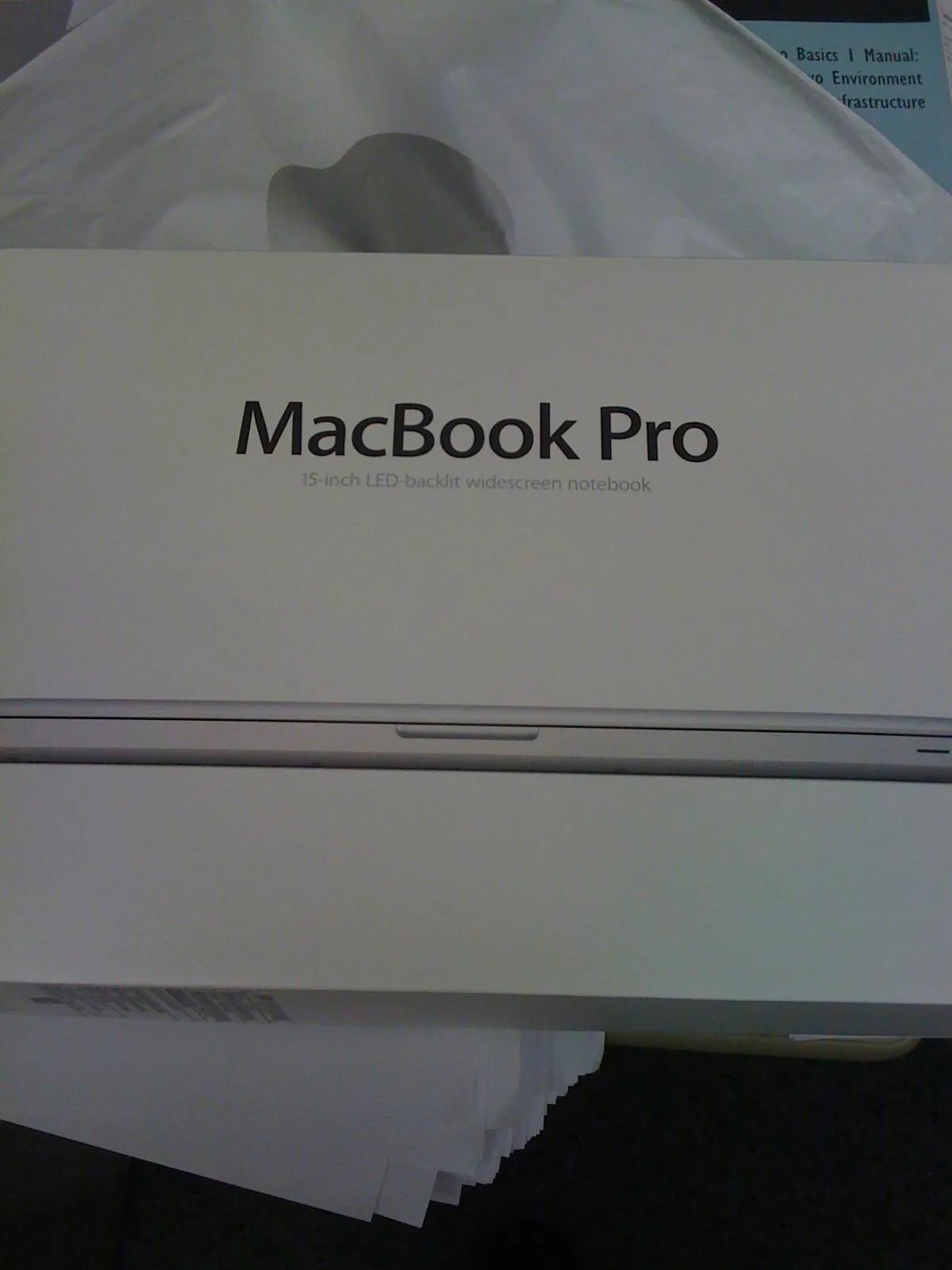
Ode to a Mid-2010 MacBook Pro

IMG_0030

My MacBook died yesterday. Shit.

It wasn’t a full-on, catastrophic death, the kind with no backup and fire and smoke and no hope. It was more of a long goodbye. I replaced the battery last fall, the third battery in its almost five years of heavy use. It looked like the battery was holding a full charge, an app saying it had low cycles and high milliamp-hours. But it would lose a few percent per minute, and then would get down to about 20% and power off with no warning.

I thought this was one of those background-process-sucking-power things, like some damn Adobe vampire lurking in the shadows, constantly pinging home and scanning every file on the hard drive. I tried killing everything imaginable, and then tried a fresh install, zapping the NVRAM, resetting the SMC. After a 24-hour marathon of file copying and reinstalling, it died on 90% battery.

I bought this computer in 2010, in the spring. I jumped on board right on the first day of the new model, when the first i7 Macs appeared. I remember this well, because it was right after I switched jobs and left Samsung, so I worked in Palo Alto. I was in a funk, writing-wise, trying to pull back out of a long stretch of not doing anything except writing every day about how I could not write.

I drove to the Apple store in Palo Alto on my lunch hour to buy the computer. They had them in stock, and $2500 later, I had the top-of-the-line 15-inch MacBook Pro. I took it back to my cube, unboxed it, snapped photos, and took a quick look. Then it sat on my desk while I stared at it, waiting until the end of my shift for my long commute back to the house. Then I plugged it into my old Mac, and did the eternal wait for the migration assistant to slowly slurp all of the files from one hard drive to another.

This was both exciting and sad. I had an unusual attachment to my first Macbook, one of the 2007 white plastic not-Pro Macbooks. I wanted a new laptop bad, but wasn’t working that summer. I was sitting on a bunch of junk after we moved to Denver, though - things I could easily dump on eBay. There were years of bachelor-mode acquisitions ripe for the picking: collectible coins, old electronics, DVD and CD box sets, and a bunch of barely-used gadgets and trinkets. I spent the first part of the summer unloading all of this on eBay, making sales and watching auctions and driving to the Denver post office to ship off boxes and packages to far-off buyers around the country. The PayPal balance grew, and by the end of June, I got within target, and orderedd my new machine. I then watched the tracking number, as the machine left China, went to Anchorage, and then jetted down to Colorado. I loved that machine, and it went with me everywhere. It also represented that odd, brief period of 2007, a period of nostalgic landing I always want to visit again.

That machine got quickly retired for its more powerful aluminum unibody sibling. And by the fall of 2010, I started working from home, and got a lot more serious about writing. I can’t thank the machine or the schedule, but launched into a new mode of writing and publishing. And that machine was at the center of all of it. Since I got that MacBook Pro, I’ve published five books (plus republished another) and probably written a half-million words, easy. I also used it for a lot of photography, video, music, and other work. It’s been a real workhorse, and I’ve become very attached to it over the last four and a half years.

That Mac has held up well, all things considered. It did have the dreaded NVIDIA curse, though. That was the first model with a discrete video processor on the logic board, a second GPU that it could switch to for heavy processing, or shut back off for better power use. And a lot of the machines had bad failures. Mine started to crap out a few months in, and ended up getting two logic board replacements, along with a battery replacement because of a recall issue. I doubled the memory, and moved to an SSD. But otherwise, the machine ran well, and lasted longer than any other laptop I’ve had.

I managed to bring that thing everywhere, too. It went to Europe twice; the Midwest a bunch of times; work trips to New York; Hawaii; a bunch of trips all over California. I got a lot of writing done on the road, because I used it as both my desktop and portable. It got scratches and scuffs, but that aluminum case kept it together, and still looks decent.

The battery thing was the kicker, though. I don’t even know if the battery itself was bad, or if it’s another logic board flake-out. It’s still a decent machine, CPU-wise, although the lowest-end MacBook Air now benchmarks higher than the 2010 top-of-the-line. It didn’t have USB3 or Thunderbolt, and had the slower SATA bus, so the SSD drive didn’t work at full speed. I also could not increase the RAM any more than 8GB, and it would not mirror its display to an Apple TV. I seemed to get in at exactly the wrong time, when all of these technical innovations were showing up. It was a great machine, but it was starting to show its age.

After yesterday’s death, I gave up, ran to the Apple store, and bought the latest MacBook Pro Retina. I went down to the 13-inch model, which feels insanely light and small compared to the old one. I’ve spent the last day porting things over, and it’s such a huge improvement in speed. Plus it’s got USB and Thunderbolt, and gigabit ethernet, and the Retina display is insanely nice. Most importantly, I’ve been working for an hour now, and the battery is just down to 97%.

So, start of a new era.  And PSA: BACK UP YOUR MACHINE. Go get a CrashPlan account, drag your important stuff to Dropbox, and get an external drive.  Get two, they’re cheap.  Now, on to the next era of writing with this new toy.

More book stuff

Okay, so more details on The Memory Hunter:

  • See the last post about it.
  • The release date is 9/1/14
  • It is 320 pages.
  • The cover is amazing.  I said I wasn’t going to reveal it until the Facebook page got 100 likes, so go like it.
  • There is a preview of it, which consists of the first five chapters.  It’s absolutely free, but you have to be on my mailing list to get it, so you should join it.  I only mail out once a month at most, so it’s not a high-volume thing, and you find out first about my new books and stories, and get free stuff.
  • The book has a web site: https://www.rumored.com/thememoryhunter/ It is a work in progress, but it has the book description on it, and will be updated once the book goes live.
  • I’m waiting on a physical proof, which shows up tomorrow.  The interior layout is all done, the cover is done, the kindle version is done, and the Smashwords version will be done momentarily.  I pretty much just need to push a couple of buttons and the book will be live.

Very tired right now.  I haven’t slept well in weeks, worrying about getting this book done, trying to find places to tell more people about it.  There was an earthquake last night, which caused no damage, except to my sleep.  I’ve been burning all of my time with final edits and photoshop madness and submitting files and filling out forms.  And now it’s all about googling places that review books, and pondering ads, and trying to reach out to new people, and basically everything but writing.  It’s all part of the process, but I want to get back to actually creating.  Soon.

Anyway, get ready.  The next update will probably be that the book is out.  I will be leaking more things over at Facebook.  And please, sign up for the damn list.  Tell everyone you know.  This book is going to be huge, and you’ll want to check it out.

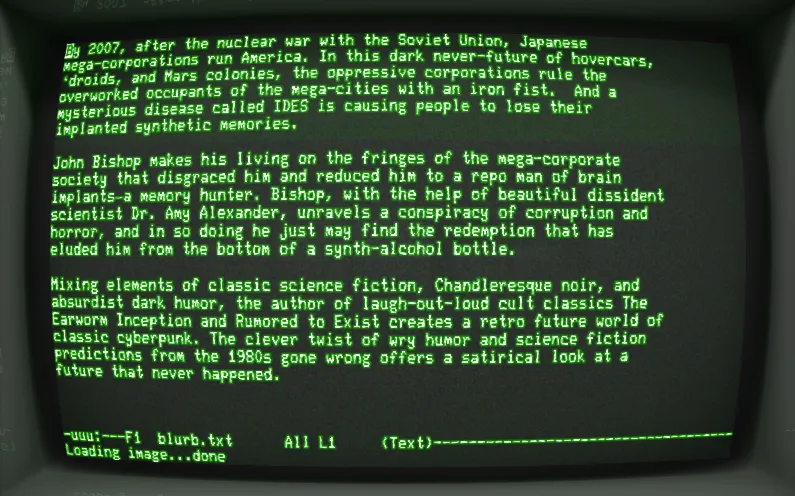
The description of my next book

Are you ready to hear the description of my next book?

Well, let me fire up the VT-240 terminal, and pull it up in emacs for you:

Screen-Shot-2014-08-21-at-6.42.16-AM

Scrivener Tips, Redux

I am in the midst of production work for my next book, and this is the time I always learn new things about Scrivener.  Here are some random bits of info.  If this makes no sense to you, don’t worry; I’m mostly documenting this so that a year from now, I’ll google it again and find it here.  BTW all of this is in the latest version on the Mac.

Using a Code character style in Kindle output

Need to have a monospace font code style that shows up in your final Kindle output?

  1. Surround your text with the HTML <code> tag.  Like this

Screen-Shot-2014-08-20-at-2.19.40-PM

  1. Select the text, and select Format > Formatting > Preserve Formatting.  Your text gets surrounded by a little blue dotted outline.
  2. When you compile your book, under Compilation Options, select HTML Settings,  and under HTML, select Treat “Preserve Formatting” blocks as raw HTML.

Making first paragraphs in a chapter or section not indented

  1. When compiling, under Compilation Options, select Formatting.
  2. This gets a little squirrely, because it depends on how you break up your documents/scrivs/folders.  For this project, I had a scriv per chapter, and within them, I had blank lines for sections (where you’d normally have * * * or something in a print book.)  In that situation, select the Section Type of Level 1+ with just one document (the bottom item).
  3. Click Options.
  4. Select Remove first paragraph indents and the relevant option.  I used After empty lines and centered text, but yours might be something else.
  5. You might have to do this for different Section Type levels, depending on your structure.

My About the Author chapter is showing up as Chapter 32 in the Kindle TOC

  1. Make sure your scriv for the chapter has a properly-cased and human-readable title, like “About the Author” and not “WTF FFUUUCKCK FIX ME”.
  2. Under Compilation Options, go to Title Adjustments.
  3. There is a thing labeled Do not add title prefix or suffix to documents:.  It has a little gear next to it.  It’s not very OSX-ish and super easy to miss. Click the gear.
  4. Select the documents you want to not name “Chapter x”
  5. Click outside of this pop-up to close it, like on the dialog underneath it.  (It has no close button. I told you it was a junky piece of UI.)

I imported a Scrivener-generated Word doc into Pages and when I try to have different head/foot/page numbers in a section, it freaks out and I think my computer is possessed by Satan

Scrivener probably put a page break instead of a section break between a couple of chapters, and now the Pages “use previous section” heading/footing setting behaves wrong. Change the page breaks to section breaks.

Also, if you don’t use section breaks between chapters and your chapters start on even pages of your book, stop doing that.

The spell check isn’t catching things

That’s because it’s horrible.  You might want to check your spelling and grammar in another program.

Hope these help someone, or at least help me in six months when I do this again.
