The Wrath of Kon

Dispatches, thoughts, and miscellanea from writer Jon Konrath

2020

Book layouts in Apple Pages
Gutenberg_bible_Old_Testament_Epistle_of_St_Jerome-scaled-1

I do my book layouts in Apple Pages. Yes, I should be using InDesign. No, I don’t want to pay $35/month for something I use once a year. Apple Pages worked okay for layouts until version 5.0 came out in 2013, when they tried making the OSX and iOS versions have parity with each other, at which point they removed hundreds of features from the desktop version and said, “everything in the desktop version works on your iPhone!” (This, coupled with the move away from Intel, makes me fear the future, when there is no real Mac anymore, and they just have expensive iPads with keyboards, and they are useless for real work. That’s another rant.)

Anyway, Pages has evolved in the last seven years, and now I don’t have to keep an antique copy of Pages 4 to do layouts. I’ve done two books this year, mine and Keith Buckley’s, and Pages has more or less worked for them.

Here are my tips on how to lay out a book in Pages. This is not a complete guide, but maybe it will help you avoid any problems.

Basics:

  • I write in Scrivener, then either copy/paste all of the text into Pages, or export to a .DOCX and open that in Pages. I’m sure you could write the whole thing in Word or Google Docs or even in Pages. Whatever works.
  • I usually set everything to Body (see below on setting it up) and then go back and fix headings and first body paragraphs and such.
  • After you do this once, make a template of that doc with all of the text scraped out and use that next time.
  • I lock down all of my text before it comes to Pages. The spelling/grammar in Pages is better than Scrivener, but it’s still pretty piss-poor. I hate to endorse this, but Google Docs has a far better spellcheck because it’s constantly being trained on millions of words of text per second. I usually paste my locked text into Google Docs, do a check, and reconcile everything in Scrivener.

Numbering and sections:

  • Document (the upper right corner button) > Document > Facing Pages gives you different left and right page layouts, which is what Pages broke forever.
  • Always use section breaks, not page breaks. (It’s a bummer there’s not a keyboard shortcut for this.)
  • In Document go to the Section tab, and set Section starts on to Right Page. (If you set this once before you change your page breaks to section breaks, it will ripple through the rest of the book. If it doesn’t, you might need to set this manually in every section.)
  • You’ll have a bunch of front matter sections (title, copyright, TOC) and then the actual chapters. In the section where chapter 1 starts, set that to start at page 1. The first page of the first chapter should be 1. Leave page numbers off of every section before this. (Technically, the cover page should start with i, then go ii, iii, iv, etc (lowercase) through all the front matter, but you don’t need to get cute and show those numbers unless this is an academic journal.)
  • In each section on Document > Section, it should be Match previous section and numbering should be Continue previous section. You should also set Left and right pages are different, and Hide on first page of section.
  • Also on the above, you should set Section starts on to Right Page. This will result in every odd page being on the right, and every even page being on the left. This also means every chapter starts on the right page, with an odd number. Yes, this will result in blank pages. Books have been printed this way since the sixteenth century. Pick up any book that wasn’t self-published by someone in MS Word and look at the right page number. Trust me on this.
  • …But, if you have a blank left page, this will screw everything up in Pages, of course. Blank left pages won’t count against numbering. So page 15 has text, page 16 is blank, and the next chapter starts with page 16 on the right.
  • To fix this, you need to restart numbering with the correct number of the left page on the first page of the chapter. Don’t do this until your book is fairly locked down, because you’ll just have to redo it every time you add or delete a page.
  • [2025 note: this magically worked this time around, and I didn’t have to restart numbering and manually add a number for each chapter. Maybe they fixed it? If so, feel free to disregard the last two bullets.]
  • I always create a Header & Footer - left and Header & Footer - right and assign them accordingly. Put author name in the left header, title in the right. I’ve also seen book title left, story or chapter title right.
  • I usually left-justify the left page number and right-justify the right. Marie, if you’re reading this, feel free to tell me I’m wrong here. I just noticed every David Foster Wallace book you designed centers them, and every one before you doesn’t. Maybe left/right went out of style in the early 00s and I didn’t get the memo.
  • By the way, my “bunch of front matter” (and everyone else’s) is the following sections:
    1. A right page that’s just the book title and nothing else.
    2. An “also by” section on the back of that page.
    3. A right page that’s just the book title and author name. Maybe your press name and logo, but whatever.
    4. On the back of that, the copyright info and notice.
    5. Starting on a right page, the TOC.
    6. Also starting on a right page, any introduction, publisher’s note, preface, dedication, or whatever else. (Nobody ever reads any of this, so don’t waste your time. Trust me, I wrote book introductions.)

For the Title style used at the start of chapters:

  • Delete any blank body paragraphs above or below the title. Each chapter should start with a single Title paragraph, then the body text. Don’t add a bunch of blank paragraphs to add space.
  • Click on a Title. In Format (upper right button) go to Style tab, and set After Paragraph to the point size of your Body style (probably 11 or 12). Or you can make this 48 or 64 if you want a big gap between the title and the first paragraph.
  • The Before Paragraph doesn’t work for the first paragraph in a section. (But you can use Pages on your phone! It’s great!)
  • A hack to fix this: Go to Layout tab. In Borders & Rules, set a top border of a single line. Make it 70 pt wide, then set its color to white. Select the top position, then put in an offset of 50pt. (If you could simply make this offset 130pt, that would be great, but you can’t for some damn reason.)
  • After fixing the title once, make sure to update the Title style (a button will appear next to it when you make changes) so changes percolate to the rest of your Titles.
  • I shouldn’t need to tell you that your titles should be sans fonts and your body text should have serifs.

Body text stuff:

  • Go to an indented (i.e. not-first) paragraph and update Body so that’s the default style for all of your body text.
  • Set that style to use justified text.
  • Make a Body-first style based on Body that has no indent. Use that for the first paragraph of each chapter.
  • I always assign a shortcut to that style to make it faster to use. I usually set Title to F1, Body-first to F2, Body to F3, and a Body-centered to F4.
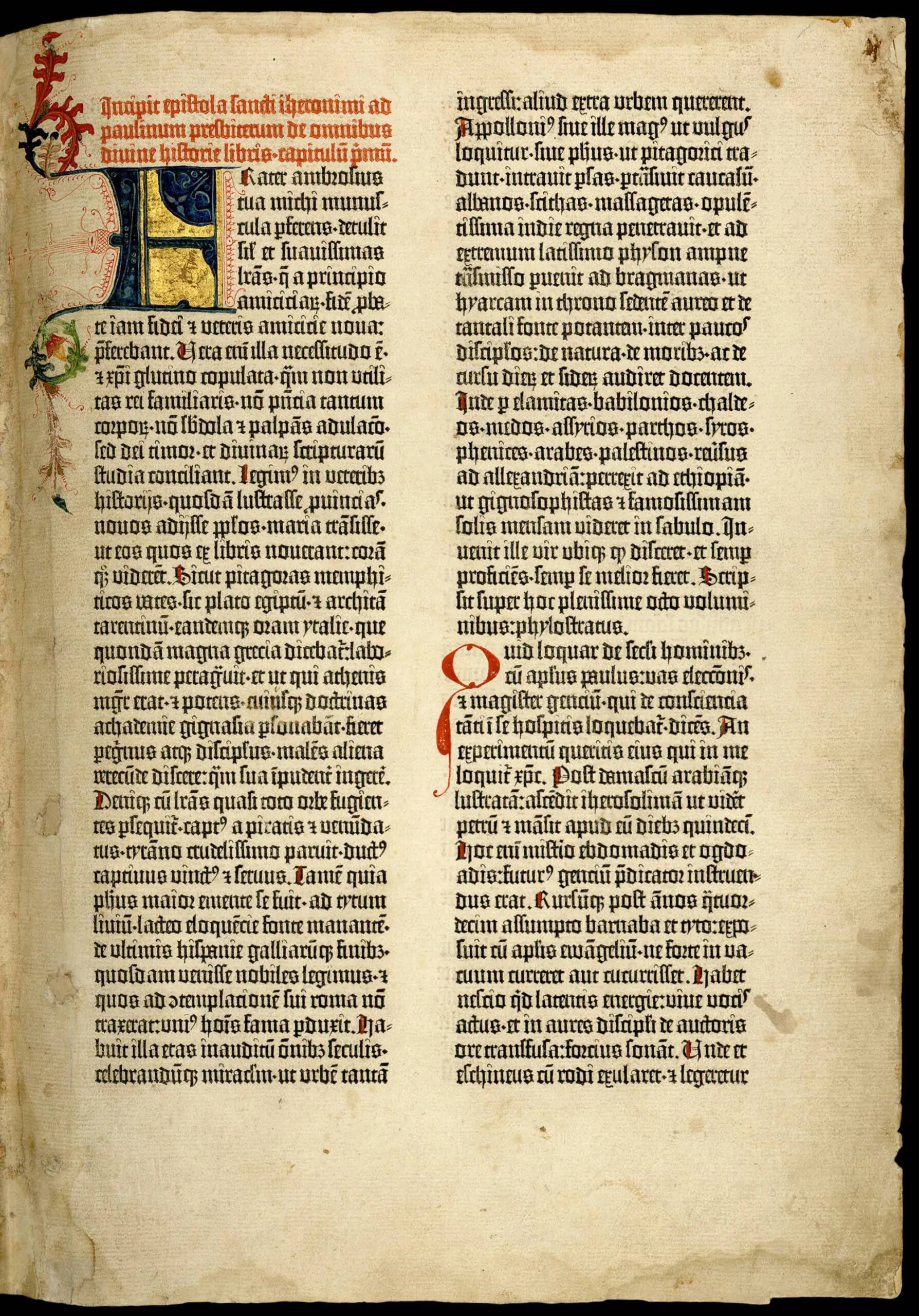
  • I’m not into Drop Caps, but if you like having the first letter or first word of your chapter four or five lines tall like a Gutenberg bible, they finally fixed this in Pages. Go to Format > Style and there’s a Drop Cap option. Pick a style and set this in your Body-first style.

I’m probably forgetting stuff. And I’m sure I’ve pissed someone off by saying not to use a sans font for the body text. Also, I wrote this at the end of 2020. [Note: I did a quick pass on 1/1/26 and this is still largely correct.] If you’re reading this in 2027 and none of it works anymore, it’s because Apple has changed everything seven times. Anyway, hope this helps.
Vacation, CDs, Drones, Etc

  • I still have a new book out. https://amzn.to/3r4c2KG
  • I am on vacation from writing for a bit. I don’t want to get into the next thing, and want to take some time off. But I am also going stir crazy not writing every day, and the last time I took more than a few weeks off, it suddenly turned into like ten years. It’s really hard to build up momentum again when you come to a dead stop.
  • I am still hopelessly addicted to http://astronaut.io. I think I could watch it for hours.
  • I realized yesterday that I completely missed the CDs-in-cars era. The two cars I had in Seattle from 95-99 had tape players, and on longer trips, I’d sometimes use a cassette adapter to play a MiniDisc in it. Then I didn’t have a car from 99-07. We bought two cars in Denver in 07, and both of them had CD players, but by then, it was all about the iPod with the built-in aux port. I think the entire time I had the Yaris from 07 to 14, I used the CD player maybe twice. So I never had those CD holders that went on the sun visors.
  • My Kinesis keyboard from 2011 is starting to randomly die. It’s no wonder, after eating pretty much every meal at the computer and typing millions of words with it. I used to get about a year or two out of the old Microsoft keyboards, so ten isn’t bad.
  • The Jimi Hendrix estate put out an official release of the Maui bootleg from 7/30/70. (Here) I’ve had another version, but this one sounds much better, and has the song order fixed. The original audio is fairly bad, and there were high winds that made the various bootleg versions mostly useless. This one sounds much better. Here’s a longer review of it on pitchfork. I’ve enjoyed the live work from that last tour the best, because it’s when he was sick of the hits, and more into the long jams, which makes you wonder what that unfinished fourth album would have sounded like.
  • Every time we go to Maui, we always go to this place called the Hui No’eau Visual Arts Center. The Hendrix shows were at the A’ali’ikuhonua Creative Arts Center. The two are about six miles apart, and one could double for the other if you were filming a docu-drama and were careful about your blocking and angles.
  • I am not going to Maui this year. Not going anywhere, but that’s obvious. I have almost two weeks off, but will be here, probably watching youtube.
  • I bought a drone. A DJI Mavic Air 2. It is very easy to fly, except finding an actual place to fly it. There are a lot of airspace restrictions, and then various parks and private property are also off-limits. I had to register the drone with the FAA, and it uses GPS so it’s locked off from flying in various places. Like during the forest fires, they geofenced off areas where first responders were. And you can’t fly by the Golden Gate Bridge.
  • I’ve been flying a few times around Alameda, near the old Navy base. I’ve shot a lot there, but I’m still learning, so the footage isn’t great. It’s surprisingly good, though. With the gimbal pointed forward, it looks like a sweeping crane shot. With the gimbal down, it looks like the spy satellite or drone footage from an action movie.
  • I’ve been obsessed with this dumb idea of taking the play history out of Apple Music (somehow) and feeding that into a lightweight CMS of some sort so I could scribble down various notes on songs, like as a journal or blog of sorts. I’m not sure how I’d get this to work, and I doubt it would be very interesting. Plus the minute I got it scripted or programmed, Apple would break whatever API I used and it would stop working.
  • I heard they are going to tear down Brownstone apartments in Bloomington and put up some gigantic thousand-unit townhouse compound or something. My memory of Brownstone is that me and Larry went there once to go to some girl’s party. The place was typical stadium-adjacent student ghetto housing and was falling apart 25 years ago. Larry ripped out whatever techno dance thing was in the tape player and put in the GG Allin album Hated in the Nation. Everyone was watching a Pauly Shore movie. One of the girls there said she watched Forest Gump every day for a year straight, and she loved him so much she wanted to date a man with an Intellectual disability.
  • I also remember that when my car blew up three days before I was to move across the country in 1995, I turned down 14th street and pushed the car for about a block to get out of traffic, and I ditched it overnight right in front of the same apartment complex.
  • You can’t fly a drone anywhere on the Bloomington campus. The airspace of the entire area is shut down by the university unless you have a special permit, and I imagine they don’t hand them out to anyone.
  • I need to lay off the Bloomington stuff before I suddenly decide I want to write another book about college.
  • I can’t believe it’s only Thursday. It feels like this week has been seventeen days long.
  • I also can’t believe Christmas is in a week. This will be the first Christmas I’ve ever spent in California, which is weird considering I’ve lived here since 2008.
  • It has been 46 and dreary and raining on and off, and I guess that’s winter now.

Day 768

I think it’s actually like day 223 or something, I don’t know. I have lost track.

768 and 863 are magic numbers to me. I think I explained this before a long time ago, probably in the now-dead glossary. When I worked at Montgomery Ward in high school, I sold paint. Wards actually had really good house paint, probably the best retail paint you could buy. They did not white-label their paint; they owned a company called Standard T Chemical, which may have been from the days when Mobil Oil owned Wards. I once tried painting a black shelf with a single coat of white paint, no primer, and it covered it with no second coat. Anyway, Wards paint came in two lines: a ten-year and a fifteen-year. They were available in 768 and 863 custom colors. I can’t remember my own phone number, but those two numbers are burned into my brain forever.

I just realized - they stopped selling paint in maybe 1999 or so, and the warranty on the 15-year is long over, not that it would do any good to show up at the headquarters of the company that bought and revived Wards as a cheap Skymall-type catalog company and insist on some replacement paint.

Life lately has been more of the same, work disasters I won’t get into, and inadvertently obsessing over politics, which I really don’t want to do. All I know is that I won’t be going back to Indiana any time soon, at least until there is a COVID vaccine and a majority of people have taken it. I honestly don’t know the holiday plan right now, but it’s not something I’m terribly enthusiastic about right now.

Sarah is in Davis for the week - rented a house and is hanging out with her nephews and sister there. It is profoundly weird to have the house to myself. I ordered a pizza and watched the new Borat (a few lols there, but mostly eh) and I’m in bachelor mode for the week. I should be writing, but that never seems to work out. When I have the place to myself, or when I have the week off, I always end up writing less than normal. No idea why. I need a routine, I guess.

Paragraph Line has two books out: John Sheppard’s latest, and a new one from Keith Buckley. It’s been a while since we’ve worked with a writer other than me or John, but Keith’s a long-time friend from Bloomington, and his book is great. The only bummer is I’m not about to push something out the door myself. I’ve been struggling with a big book all year, hoping to get it out by December, and it’s not going to make it. Maybe I can scrape together another collection before then. We’ll see.

After a few false starts, we have a day of fall. (Forgot to knock wood - looks like it’s in the low 70s next week.) I’ve still been in heavy nostalgia mode, which is problematic. The cool weather reminds me of Bloomington in October, and that’s a whole k-hole for me to fall down. When I had all of the Comcast madness a bit ago, I had to unload and move a large storage shelf in my office so they could get to the network box, and I accidentally cracked open the box of journals and started reading. Never good. The nice round number of the year 2000 isn’t a good place to jump into, at least when I’m trying to do other writing.

Got a new Apple Watch for my anniversary, and burned about a day doing the upgrade cycle for that - had to upgrade the phone three times, the watch twice, etc. I now have an EKG and a pulse-ox monitor, so I know I’m not dying of an undiagnosed heart or lung disorder, so I’ve got that going for me. I also got a new Apple TV as a work anniversary gift, and that was easy to set up, but like the last ATV, it’s not an earth-shattering piece of gear. I guess it has Siri now. And apps, not that I can think of any apps I need on the TV at the moment.

I still have no idea what to do with this 2017 MacBook Pro with the busted battery. I sort of forgot all about it, in the mad rush of a million other things going on. It still has AppleCare until December. I was going to just mail it to Apple, but when I chatted with them about opening a ticket, they said I can’t mail in a laptop with a defective battery, because it’ll bust open and light a FedEx plane on fire ala ValuJet 592. And I can’t get an appointment at an Apple Store to drop it off. They suggested going to the store right before it opened and begging for mercy. It’s not time-sensitive, other than the December deadline.

I just realized the other day that I have taken almost no photos this year. I usually shoot maybe 2500 photos a year, and right now, I’m at 934. I haven’t had any of my real cameras out since the Vegas trip, and I didn’t take that many pictures when I was there, either. Either I need to take up food photography (and gain another twenty pounds) or I’m going to have to take some serious trips after this is over.

Speaking of writing, I need to get back to that.

not a significant source of fiber

IMG_2930

In the middle of book layout mode. Not for me, but for John. Will be a good one, stay tuned.

  • I do book layouts in Apple Pages. I was thoroughly pissed when they abandoned the original Pages and moved to this iOS-like bastardized version that dropped a bunch of features, but they’ve slowly added back enough features that I can use it again. I should be using InDesign or something, but I do about two book layouts a year, and can’t afford to pay Adobe monthly to not use it.
  • I don’t actually use Pages to write, though. Still Scrivener. I guess it’s been a few years since I’ve done one of those writing tools posts, and maybe someday I should do that again.
  • It is smoky and there are fires and all that jazz. I don’t want to fixate on that news. Yeah, it’s bad out. I stay indoors all day anyway. Still, very depressing, etc.
  • I passed the ten-year mark at my day job today. This is the longest I’ve worked at any job. Second place is the almost-six year span I put in at the same place before they were acquired.
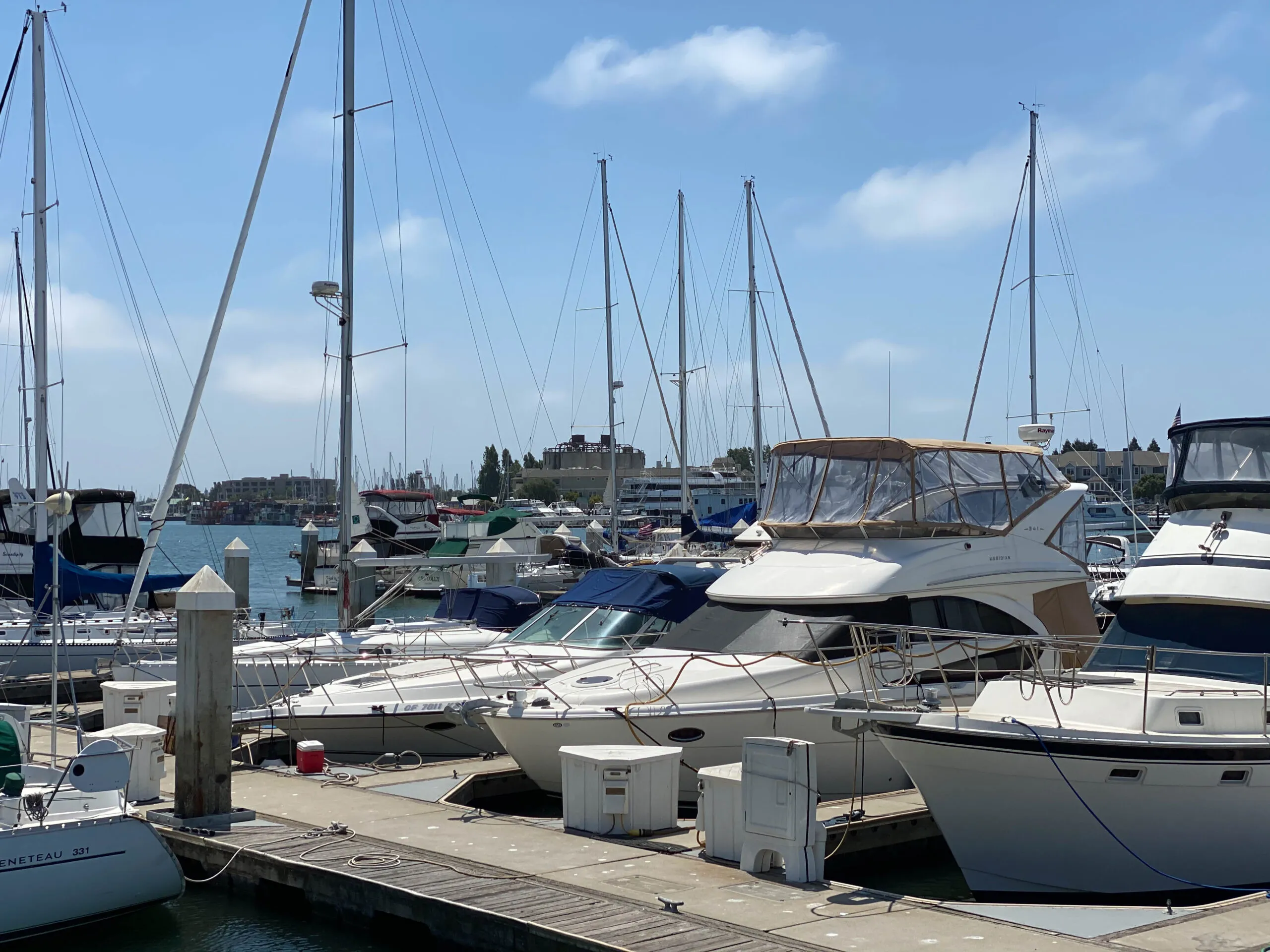
  • I fell down a k-hole watching videos of people restoring old sailboats, and I may need someone to talk me out of buying a thousand-dollar boat, spending $350 a month parking it, and another hundred grand fixing it, all before I actually learn how to sail.
  • Meanwhile, I don’t even have the energy or motivation to wash my car. Not sure how I’d restore a boat. Or learn to sail.
  • I’m trying hard to finish a book by the end of the year. It’s currently the third-biggest book I’ve ever written, behind Summer Rain and that journal compilation nobody bought. That’s all I can say about it right now. If I can’t get it under control in the next couple of months, I’ll probably punt and put out another short collection.
  • I’m not sure anyone will buy this book, either. I don’t know what happened to Amazon, but it’s dead dead, sales-wise. They really want me to buy ads. Sigh.
  • I almost started playing bass again, and actually practiced two days in a row, but it’s pretty much impossible for me to get to it on a daily basis, especially during the work week. Wish I had more time, but I don’t.
  • Currently at war with Comcast over my stupid internet connection. They gave us this data cap and we constantly go over it, with both of us working from home. (I think I already wrote about this previously.) So they suckered me into updating to this new unlimited plan with a different modem. The second I got the new modem going, I started seeing insane dropouts where my ping speeds go to two or three seconds for no reason. It might be a bad modem. Might be a wiring issue, although the last modem worked fine for ten years. I called them and got the “what browser are you using? maybe you have too many bookmarks?” bullshit. They’re rolling a truck next week, but I expect more “you’re holding it wrong” and maybe a bonus case of COVID from the technician.
  • I should make a list of everything I read since this quarantine started. I haven’t bought many new books, but I re-read a ton of stuff. Like I re-read the entire bibliography of Chuck Klosterman, Bukowski, Hunter Thompson, and Charles Portis. Also re-read half of my own books, for some damn reason.
  • I have cats bothering me because dinner is four minutes late, so I should get to that.

Day 167

I don’t really know how many days into the lockdown we are. I suppose I could figure it out. I also suppose I could update more here, instead of just when something breaks. But there’s not a lot otherwise going on.

So remember last year when my iPhone 8 blew up? Almost exactly a year later, the replacement started swelling again. I wasn’t planning on upgrading for a while because I was fully paid up on the old one, and I figured the year-old replacement would last until Apple came up with a reason for me to get a 12 or a 13 or whatever. Well, there’s my reason. I bought an iPhone 11 Pro, and paid far too much for it. The Apple Store near me is open in a limited fashion now, so I did an in-store pickup, where I showed up at an appointment time, stood out on the sidewalk, and got the phone brought out to me. I bought it straight-up instead of dealing with any of AT&T’s byzantine payment plans. That part was easy enough.

The migration, which is supposed to “just work” did not work. It took me four tries, about a half day. I thought I’d just sync the old phone to my Mac, then plug in the new phone and restore to it. I don’t know why it took so many tries to get this to work. One thing I noticed after my first fail is that the cable I bought a year ago and the cable that came with the phone were different. They are both Thunderbolt (aka USB-C) to Lightning, but there’s some internal difference. The same thing happened with the laptop last May. There’s some subtle difference between USB-C and Thunderbolt, or there’s some difference between data cables versus charging cables versus fast-charging cables versus… whatever. And of course all of the cables are white, and look identical. I found out that some of the newest cables have a very light gray number on them, like instead of the RGB value of #FFFFFF for white, it’s #FEFFFF, and you need a jeweler’s loupe to read it, and then you have to google the value, and it’s on the seventh page of results because the first six are rumors about the next iPhone or something.

The new phone has a larger screen, but is about the same size. It has Face ID, which is fairly useless. First, it can’t identify me with no glasses, or with a mask on. Also, I’m in the habit of grabbing my phone and unlocking it while it’s still in my pocket or on the way up, and that’s impossible now. I also can’t unlock it while it is on the dashboard of my car. Also, I bought the battery case, so the phone is far too heavy and thick. I am almost sure I will drop it in the near future. And the gestures to use it with no home button are annoying.

The new camera is interesting. It has a portrait mode, which simulates a low depth-of-field lens, which is nice. It also has a wider lens, which is good for landscape photos. There is a night mode, which might be useful if I ever leave my house at night again, which won’t be any time soon. Overall, the camera stuff is neat, but for this price, I could have bought a nice DSLR or mirrorless camera.


Another Apple semi-fail is that the Airport Extreme I bought a few years ago was showing its age, or maybe having Sarah work upstairs full-time was requiring better WiFi coverage. I have bad luck with routers and they always seem like a perishable product; after two or three years, they just go rotten, and no firmware update or restore will make them better. Apple doesn’t make routers anymore, so after much research, I ended up with a Ubiquiti Amplifi HD. It works, but I’m not in love with it. First, it took a few tries to get it started. (They insist that you reboot your cable modem during setup, which makes no sense, but it didn’t work until I did, so I guess that’s my fault.) It uses a cutesy phone app for all configuration, and I’d rather have an actual browser-based admin. I also wouldn’t mind better logging or something (I’ll get to that in a second) but it seems to work fine. I have the router downstairs, and the mesh stations in the living room and upstairs, and it has roughly doubled performance up there, so mission accomplished.


On to the next problem. Right after I got the new phone set up, Comcast started complaining that we were close to our data cap of 1.25 Terabytes. They’ve waived the cap for the last few months because of COVID-19, but now that COVID is completely cured and everyone has returned to the office, they’ve started charging people for going over again. Wonderful.

This started the anxious exercise of trying to figure out how we’re using so damn much bandwidth. Of course, plugging in a new phone meant it automatically had to redownload every app and a bunch of big updates, so that’s probably fifty gigs. And as I looked at my machine, I realized my Backblaze cloud backup was then uploading that fifty gigs of updates, so I got double-taxed on it. I installed a copy of Bandwidth+ and Little Snitch to try to figure out where all of my data usage was coming from, and man that is horrible.

First of all, Apple is downloading monster updates constantly. Every little point release of iOS or MacOS is at least five gigs of data, and on my desk, I’ve got three different devices. And like I said, those are all getting backed up. (I stopped doing that, so that’s some savings.) But it’s also amazing how much a Mac will change over the course of a day. I started scheduling my Mac to back up at midnight, and it would send a few gigs of data up. Then I’d wake up, do nothing for nine hours, and Backblaze would say it had a half-gig of updated files ready to back up. I’d look, and it was all crazy iCloud stuff, the Mac recording Siri suggestions even though Siri was deleted, tons of deltas on files in the calendar and email programs that had been doing nothing. I have no idea how to stop any of this, but with two Macs in the house doing this, there’s like ten percent of the 1.25 TB right there.

Another thing with Little Snitch - ok, so this is a program that will fire up an alert every time anything tries to make an internet connection, and then you can set up automated rules to allow or block certain things. It also shows you what programs are using the internet, and tracks their usage. (My router problem: I wish I could do this for every machine in my home, like at the router level. I know if I spent two grand on a pro Cisco router, I could do this. But my little consumer one won’t.) Anyway, it is amazing how much some programs hit the outbound connection. Like if someone in my house even says the word “Adobe” I get a dozen outbound connection requests. Creative Suite is basically a piece of malware that happens to have an image editing program in it.

Facebook is also particularly bad. Even though I think I’ve disabled whatever video auto-play is in FB, it will hit this one video CDN continually, preloading things it isn’t showing me, to a tune of a gig per every few minutes. I know, quit Facebook. But it’s amazing how blocking that CDN saved me a ton of grief. Even better, I spotted the CDN that auto-loads those annoying videos that pop up any time you go to any news web site. Life is much better after I blocked that thing.

Oh, about the data cap. After much research, I found there are a few options to remove the cap. One is to straight-up pay them $30 a month. The other is to lock into their new xFi router ecosystem, and rent a new modem, and they will remove the cap for $25 a month. I currently rent an older modem of theirs for $14 a month, so they sent me a new router, which I will immediately put into bridge mode and ignore all of their new features, which probably don’t work. I hate to pay that $11 a month, especially with how high the bill is already, but $11 versus obsessing over this every time I launch my browser is worth it.


Not much else is up. I’ve spent a lot of time walking at NAS Alameda and have a ton of photos I should probably organize someday. Other than that, it’s been work, work, work. I have another “vacation” coming up, so maybe I can do something productive that week.