The Wrath of Kon

Dispatches, thoughts, and miscellanea from writer Jon Konrath

2012

Patents, Apple, Whatever

There’s been a lot of coverage in the news about Apple’s various patent wars against Samsung and others, and the gist of the coverage is that the patent system was 100% fine up until Apple woke up one morning and decided to destroy anyone making a rectangle-shaped touchscreen phone.

I have no real arguments for or against the system, but one argument I keep hearing is “well what if someone patented the car?”  Funny thing is, someone did.  Check it:

http://en.wikipedia.org/wiki/George_B._Selden#The_Selden_patent and the patent itself: http://www.s363.com/selden/549160.pdf

George Selden was granted a patent for his “road locomotive”, and forced all other car manufacturers to license it, for a .75% royalty.  Ford later fought this in court, and lost; it was only on appeal that they were able overturn the patent.  The eight year legal battle almost bankrupted Ford.  This happened, by the way, over 100 years ago.

Another example of the fact that the patent system wasn’t all rainbows and unicorns until the invention of the iPhone: did you know that the Wright brothers were awarded a patent on the airplane?  More specifically, it was a patent on flight controls in all three axes, but they vigorously fought (and initially won) a huge lawsuit against Curtiss. It effectively blocked the building of airplanes in the US until the first World War, when the government stepped in and formed a patent pool.  (More info: http://en.wikipedia.org/wiki/The_Wright_brothers_patent_war)

There have been countless patent battles in the last century, and this Apple/Samsung thing is just the latest iteration.  I think it’s different now because people have such an attachment to their devices, that their brand loyalty becomes the newest us versus them.  Look at the comments on any of these news blogs from the Apple or Android or Microsoft fans (or whatever pejorative term you prefer) and you’ll find a level of hate and vitriol usually seldom found outside of a political news web site.  And in the days of page count-generated revenue, it’s far too easy for the gizmodos and engadgets of the world to throw up a daily article saying “is the new XYZ an iWhatever killer?” and let the ad imprints roll.

I am an Apple user, and that obviously influences my opinions.  But I also worked at a Samsung R&D lab, and saw things internally that strengthen those opinions. I should probably go back and re-read my NDA and exit papers before I say anything about Samsung and their design aesthetic.  I wouldn’t want Samsung to send me to prison for libel.

Anyway, the patent system may be horrible and broken, but the idea that it suddenly happened recently is off by a century or so.
Re-reading Infinite Jest, part 1 of ?

Okay, I gave in and started re-reading Infinite Jest the other night.

I’m 8% finished as of last night, which is roughly like running the first two miles of a marathon.  It’s enough that I’m getting some momentum, but so little that I feel like it could take me a while.  I dug through my 1996 paper journal last week and found that it took me something like 20 days to read it last time.  Of course, I did not have a TV, was single, had no social life, and this was before Facebook, Twitter, and a million other things were invented.  In fact, I think I was still dialing in at 14.4K back then, and my computer was a Linux machine that wasn’t running X, just a naked command line prompt on a 12” monochrome monitor.  The closest thing I had to a tablet computer was made by Mead, spiral-bound and college ruled.

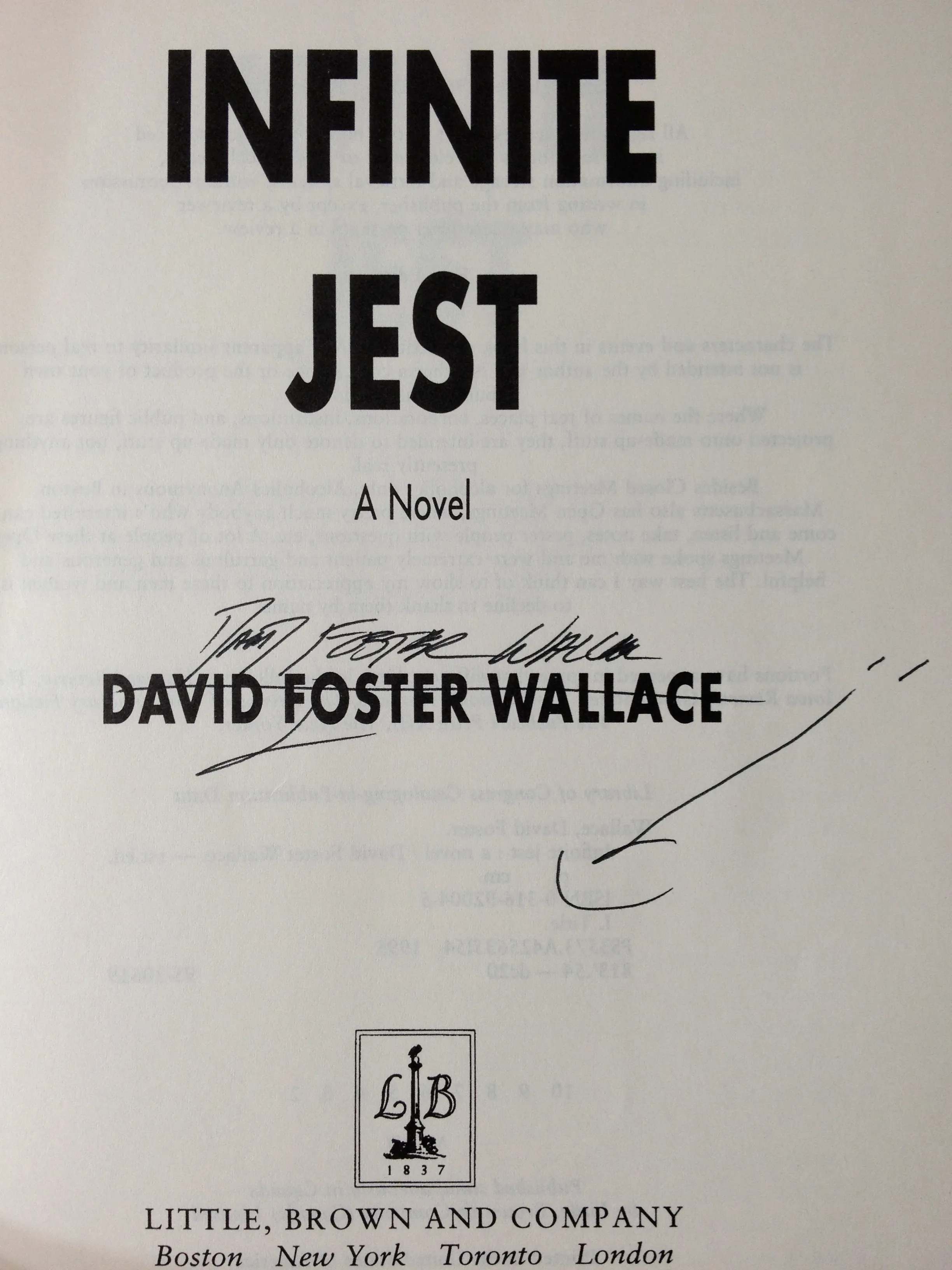
My first strategic move on this attempt was to eschew the print edition.  The only print copy of the book I own is a hardcover first edition, signed by the author with the “smiley face” next to his name, which might or might not be more rare or indicative that he was in a good mood when he read in Seattle.  The print copy killed my wrists last time around, and this was long before I’d developed all of my wrist, back, neck, and other chiropractic RSI issues.  When I read in bed, I tend to hold the book with three fingers and my thumb on the cover, and my pinky under the book, as a sort of stand.  This means when a book weighs any tangible amount, it strains my small fingers, and if that book is a thousand pages long, it starts to feel like they’ve been slammed in a car door.

So I went with the kindle ebook.  This solves another problem, the “how many bookmarks do I use?” issue.  Unless you memorize page numbers in some Rain Man-esque fashion, you’re going to use at least one bookmark on a read of the paper edition.  Most people agree you should use two, with one marking where you are in the body of the book, the other marking where you are in the endnotes.  Some people also advise you to keep a bookmark on the page describing the Subsidized Time timeline.  Nobody ever told me about that, but there weren’t web pages about how to read IJ in 1996.  That said, there also wasn’t a wikipedia page I could reference instead of using a third bookmark.

In the kindle edition, endnotes are hyperlinked.  And thankfully, there’s a “return to text” backlink after each endnote, so you can quickly get back to the text.  The only issue with this is that the kindle software will return you with the line containing the endnote reference at the top of the screen.  So, for example, if you’ve got 30 lines per screen (arbitrary - I didn’t count) and on line 16, there’s endnote 44, you can click that, read it, click “back”, and that line will now be at the top of the screen, not on line 16.  That means you lose some context and might need to back up a page, depending on how you read.

I started reading on my iPad, and then switched to my actual Kindle.  The advantage to the real Kindle is that it’s paper-white on the e-ink display, and it doesn’t have Facebook, Twitter, and a bunch of games on it.  But I ended up going back to using the actual iPad.  Why?  Because it’s a bigger screen, and because clicking on endnotes is much easier.  I have the keyboard Kindle, which requires you to navigate around with the little stub of a joystick to get to an endnote and click on it.  Then you have to wait a second for the screen to refresh, and then you have to repeat the procedure.  It’s much faster and less of a hassle to do it on the iPad.

Another huge advantage to reading on the Kindle is that I can click a word and the definition pops up.  I’m finding that Mr. Wallace has a much more, um, big vocabulary than me.  I don’t know if looking up definitions like this is teaching me new words, but I’m much more likely to click on a word rather than dig out a copy of Webster’s.

I’m finding that this time around, it’s been much easier for me to get in the swing of things, but I don’t know if this is because I already know the general plot of the thing.  When I read it in 1996, I didn’t know a single other person trying to read it, and there was no wikipedia to help me.  I am avoiding any secondary reading during this pass, though.  I’m not looking at any of the blogs or fan sites, and I haven’t bought Elegant Complexity or any of the other reading guides.  No sherpas, no supplemental oxygen on this climb up Everest.

My impression so far is that the book is reminding me so much of 1996 and the events around then.  I had a horrible time of it back then, something I’ve alluded to on here, but something that was incredibly painful to read about when I dug around my paper journals back then.  I was about a year into my stay in Seattle, a year removed from my college life.  I hadn’t seriously dated anyone since the end of 1993, and was certain I never would.  I had some kind of stomach disorder going on and was certain it was gall bladder cancer or unchecked appendicitis (it wasn’t), and I seriously didn’t know what the fuck I was doing with writing.  I now look back at Rumored as my favorite book I’ve written, but back then, I spent all of my energy trying to convince myself I needed to stop working on it entirely.  All of this influenced my perception of the book, and now as I navigate his prose, it brings back a lot of those memories, which is both good and bad.

I don’t have any other great insight at this point, but I felt that if I kept mentioning the reading project on here, I’d stick with it.  So, there you go.

Things I Remember About Infinite Jest

IMG_0611

I first heard about David Foster Wallace’s Infinite Jest from the 1996 profile in Details.  (I used to subscribe to Details for some reason; I’m not sure why.)  I didn’t have a TV then, so of course I ran to the bookstore, bought the hardcover, and forced myself to read at least 50 pages a day over the next few weeks and get through the whole thing.  And I did, and it was awesome.

And now it’s 16 years later, and I’m trying to start another book, and whenever I ask myself, “what the hell do I want to write?” of course IJ is on the short list.  And I think I should re-read it.  And I bought it on the Kindle, because one of my chief complaints about the book was that at the time, I lived in a tiny 100-some square foot studio apartment with no furniture, and slept on a twin mattress on the floor, and the only way I could ergonomically handle that big chunk of dead tree was to lay on my side with the book on the floor, and completely fuck up my neck and back twisting around to look at the pages.  And of course, I have not re-read it since, because I would have to invest a month of time into it, and I can barely focus long enough to type 140 characters at once.

But I keep trying to think, what the hell do I remember from that book?  So here’s the list.  It’s probably filled with spoilers, so you’ve been warned.

  1. Lots of end notes, but you already knew that.
  2. The one guy was a pro football player, and was a really shitty player on his college football team, but he knew about tennis and one day when he was pissed off, he kicked a football like a tennis ball some insane number of feet, and that led to a career in the NFL.
  3. I knew nothing about the NFL at the time, and was not sure if there was a team called the Arizona Cardinals.  (This was before wikipedia.)
  4. The guy shaved against the grain, like his dad taught him, which was apparently wrong, but I did the same thing and wondered if I was going to somehow give myself some incurable skin disease.
  5. The one girl with the messed-up face was using some toothpaste that was supposed to rebuild your enamel.  Hers was messed up from smoking crack; my teeth were pretty much totaled at that point from drinking a six-pack of Coke every day, and I was in the middle of getting everything restored, and kept thinking about trying to find some similar product.
  6. There was a big discussion about pot being physically addictive in some small percentage of people, and I remember having a similar argument with someone at work once.
  7. A guy killed himself by putting his head in a microwave oven.  He accomplished this by cutting a hole in the door so he could stick his head in it while it was closed.  Shortly after I read this, my microwave oven died and I freaked the fuck out, convinced the coincidence was somehow related.  (And also because I had this thing of Hamburger Helper cooking in it, and you can’t really eat that shit cold and uncooked, and putting it on the stove was beyond my skill level, so I drove to Target and bought a new one at nine at night.)
  8. The part of the story about how that girl ended up with a messed-up face was not explained right off the bat, which I realize is something you do to pull the reader into continuing with the story, but every time this happened in the book, I was convinced I’d somehow missed that part of the backstory by skimming over it, and would go back and re-read, searching for answers, something that made the book take far longer for me to read.  (I am in no way criticizing DFW’s plotting and foreshadowing ability and/or decisions; I’m just saying I’m a poor reader.)
  9. I was going through a very significant depression in the fall of 1996, and the way DFW described the various depressed people greatly disturbed me, mostly because his descriptions were so goddamn accurate, and I greatly felt like I’d end up like one of them.
  10. I thought the ending was the most unresolved ending in the history of literature.

And that’s it.  I do not remember anything else.  So yeah, I need to re-read it.

My New Book, Sleep Has No Master, Is Now Available

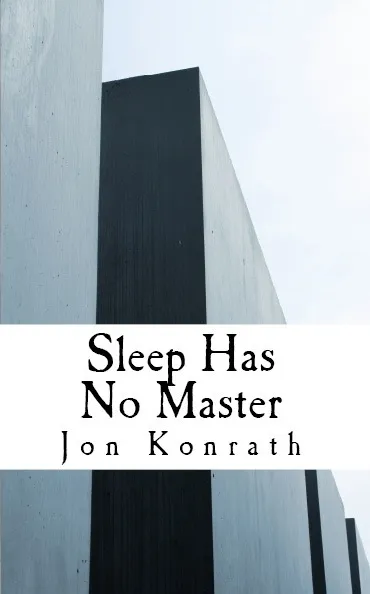
cover-front

I’m proud to announce my new book, Sleep Has No Master, is now available!

It’s on Amazon for the Kindle here. The print version will be available shortly - it’s currently in the proof process.  The book’s site is here.

The book’s a novel-in-stories of sorts.  It’s 27 pieces, flash fiction and short story, with each piece standing on its own.  It resembles The Earworm Inception in that sense, and I’d consider this the third book in an unofficial trilogy.  (The “flash” trilogy, for those of you not keeping track, would start with Fistful of Pizza, then The Earworm Inception, and then this.)

This time, though, I wanted a different theme that tied together all of the pieces, and it happens to be dreams.  The narrator’s got severe insomnia issues, and gets to the point where he can’t tell where his surreal, twisted dreams end and his mundane life in this nihilistic world starts.  Reading all of the stories in order is like drifting through a series of dreams and nightmares.  Or, just drop in at any point and start reading, and you can enjoy each piece separately.

Please check the book out - you can get a preview of it from the Amazon site, and Amazon Prime users with Kindles can check out the book for free.  (Does anyone actually do that?  Well, you can.)  More word in a bit when the print version comes out.  Thanks!

Dumping Word

I hate Microsoft Word.  I don’t know how much of my life I’ve wasted on Word, although I’m certain I will be on my deathbed and wish I had all of the years back I spent cursing at Clippy and the Ribbon and every idiot who ever handed me a book or story entirely formatted by hand, every single paragraph still sporting the Normal style.  Whenever I’m working on a project and the phrase “let’s just use Word”, it must be like when people working at a gym hear a person say “fuck it, let’s just order Pizza Hut and eat a gallon of ice cream, because it’s easier than a treadmill.”

I’ve never written fiction in Word; until I switched to Scrivener, I did all of my work in emacs.  But because most print-on-demand houses and lit magazines work with .doc and RTF files, I’m usually forced to go through a final production step where I drag my completed work to Word and style and format it there, sometimes while doing battle with someone else’s templates.  Some places will take a PDF, and for many of my books, I’ve used FrameMaker for the layout.  It’s what I use at my day job, and I know it well.  But it requires me to use Windows, which happens to be written by the same company that makes Word, and that’s a zero-sum game for me.  I might be able to producecompiled Scrivener PDFs that meet all of my requirements, but right now, it’s not there yet.  I’m sure if I took a weekend or two to screw around with it, I could get it to work, but as the book production part of the book cycle happens last, it’s usually at the point where I have no patience for this and just want to get it over with.

I’m in the middle of finishing a book, and was going to use Word to lay it out for CreateSpace, like I did the last few times.  Three things stopped me.  First, my copy of Word 2008 for the Mac is slightly flaky, and it’s just “off”.  Second, I wanted to go buy a copy of Word 2011, and of course, there’s a huge maze of torment involved with this.  I am not even sure if Microsoft officially sells Word 2011 alone; I found one price on the web that costs more than buying all of Office 2011.  Also, they don’t have a 64-bit version, and the current Amazon listing is hovering at a star and a half out of five, with a ton of reviews saying “don’t buy this version!”  So I’m not willing to throw down a few hundred dollars on something that will cripple my machine.  Lastly, I started up Word the other day, and it got into this update death spiral, where it would download half a gig of updates, sit for an hour installing them, and then restart and say more updates are available.  That’s about the time I said fuck this, I’m ditching Word for good.

I have a copy of Apple’s Pages on my machine, but I’ve never really used it for anything.  I bought it for $20, thinking I’d eventually make a zine with it or something, but never got around to it.  On a whim, I had Scrivener export an RTF and then opened it in Pages, expecting the formatting to take a day or two.  I finished the whole thing in a couple of hours.

So here’s a list of why I like Pages more than Word:

  1. It’s much faster on my machine.  I have a 2.66 GHz i7 with 8 GB of RAM, and Word just clunks along.  It’s not swamping the CPU or flooding the memory; it’s just clunky.  Sometimes you click on something and there’s a delay.  It’s not a major delay, maybe a few dozen milliseconds, but it adds up.  It often feels like I’m working across a shared screen on VNC to another computer across a slow wireless connection.  It’s not unusable, but it’s maddening.  I know the MS apologists will say this is something screwy with my machine, but this is the top-of-the-line in mid-2010 MacBook, and right out of the box, with nothing else running, it was like this.  Pages runs fine, and performance is snappy.  No problems.
  2. Page sizing in Word for the Mac is fundamentally broken.  When you go to File > Page Setup and select a paper size, there’s a chance it might work, a chance you’ll only change the size in one section, and a chance it will do nothing.  You can sometimes get it to stick by doing a File > Page Setup > Word Options, then selecting Layout, then clicking Page Setup.  Sometimes that doesn’t work.  Sometimes you have to try it an even number of times, and then an odd number of times. In Pages, I just go to File > Page Setup and select a size.  You can also see the page size in the inspector in Pages.  I don’t know how you can see the document size in Word, other than turning on rulers and counting.  (You can go to File > Page Setup, but if that doesn’t work, it could tell you the wrong size.)
  3. The headers and footers in Pages are fairly intuitive.  You see the boxes for the headers/footers, and you enter your stuff in them.  Word has that weird “they’re greyed out, but if you click on them, but not too fast and not too slow, I’ll open some bizarro editing field for you” that has always been clunky for me.  Sometimes I can do it in two clicks, but sometimes it takes seven.  And when every click is just a few milliseconds off, it adds up.
  4. In Word, working on a document with different even and odd pages is a crapshoot.  Like when you put in a section break to start the document on an odd page and there’s going to be a blank even page, Word won’t show the blank page in Print Layout.  It will be printed (or not printed, depending on how you look at things) but it won’t show that in Print Layout, which is cute.  Pages, just works.
  5. Also, that blank even page in Word will still have your header/footer on it, which is wrong in a printed book.  In Pages, not there.  And as per my last point, you can see that it’s not there, which is nice.
  6. In Pages, all of your paragraph, character, and list styles are in a slide-out drawer that’s easy to find, easy to open, and easy to keep open next to your document.  In Word, there’s a Toolbox window, which can appear anywhere and is easily lost. Also, all three types of styles are just “styles”, and you have to know that a style with a paragraph mark is for a paragraph.  Plus all three are lumped together in a single list which is sorted by odd criteria such as when you last used the style, or if it’s in the document or in a template, meaning you almost always have to move to a different window and lose focus in your document, then scroll with some clunky non-Apple scroll mechanism to find your style.  Repeat that times 9000 and you will go mad.  Also, that toolbox window will vanish if focus goes to another application, so good luck trying to do some tech support involving looking at your browser and the toolbox window.  (To be fair, Pages has an inspector dialog box with similar behavior.  The difference is, they don’t put vital controls like the style chooser in that window.)
  7. When you import a document into Word that has manual formatting, it first appears that the entire document is in the Normal paragraph style.  It isn’t until you pull up the Toolbox that you can see each paragraph is styled with “Normal + Comic Sans 20 + First Line: 0.5” + Space After: 8pt” or whatever.  This is one of the 19 reasons why people completely fuck up formatting in Word.  In Pages, you can see in the Style drawer that each paragraph is marked as “Free Form”, meaning you need to either define some styles or assign existing ones to your paragraphs if you want to avoid chaos.
  8. When you have a paragraph that’s been assigned a style and you make a change by hand to that paragraph (like, say, change the font), in Pages, a little red triangle appears next to the style in the Style drawer, telling you that you need to either redefine the style or otherwise get your shit straight.  In Word, good luck.  It doesn’t show up in the Toolbar’s style chooser; maybe if you see that the font is changed there, you’ll spot it.  If you open the Toolbox, you’ll see “Style + whatever”, but because the box is only about 20 characters wide, you probably won’t see entirely what changes have happened.
  9. If you’re inserting photos or whatever into documents, Pages lets you simply open a little browser of your iPhoto library, where you can easily preview pictures.  Word has this abortion of a “scrapbook” feature that you have to populate with your stuff manually.  Oh, and it’s in that ever-vanishing bastard of a Toolbox, and you’ll need to click back and forth between that and your list of styles.
  10. There is a version of Pages for both the iPhone and iPad.  I can bring this book to the iPad, and it works well.  I could even write an entire book on the iPad using my bluetooth keyboard, if I really wanted to.

I’m sure there are things Word can do that Pages cannot.  I don’t know what any of them are off the top of my head, though.  An often-desired, often-missing feature is track changes/commenting, which is supported in Pages.  It does not support VB scripting, but neither does Word on the Mac.  (Both support AppleScript, though.)  I think the big difference is that Pages was essentially born in 2005, and slowly added crucial features, meaning it’s much leaner.  Word has a twisted history, always trying to capture feature parity with Windows versions, always failing, and always trying to support backward compatibility.

The biggest difference, other than the efficiency of the codebase, is that Pages is a hybrid word processing/DTP program.  It’s like a simplified version of Pagemaker, where instead of a flowing document like Word, you can choose from templates and select which page layouts you want to use, and then flow in your text.  If you’re doing something like a brochure or flyer or catalog, this is infinitely easier than trying to fake this in Word.  Microsoft has half-assed some DTP features in Word, but it’s all duct tape, and you’d never want to do something like a magazine in it.  Pages is nowhere near as powerful as InDesign, but it’s got enough templates and it’s easy enough that doing that zine or homeowner association newsletter is going to be pretty simple.

One word of warning - if you use Pages (or any other Mac software) and you export to PDF and your document had graphics, it’s going to create a 72dpi PDF that won’t work for press.  There’s a way to add a free add-on so it will save in PDF/X-3 format.  I don’t have the link in front of me, but if anyone’s running into that problem, drop a line or leave a comment and I’ll dig it up.

So, that’s done.  Now maybe I will screw around with that zine project I originally thought about.