The Wrath of Kon

Dispatches, thoughts, and miscellanea from writer Jon Konrath

Tag: apple

Lack of computer

My computer is in the shop.  It has some random reboot situation, which is either from a bad motherboard or bad memory, and because it’s still under warranty and it has aftermarket memory, they want to prove that it’s the memory’s fault, although I’m pretty sure it’s the motherboard.  This is the first generation to have the NVIDIA GPU and discrete graphics, and I think it’s a lemon generation, because others have complained about a dud GPU.  But it could be the RAM, who knows.  EIther I’ll get a new motherboard for free, or they will say the RAM is bad and I’ll pay $50 to get it replaced.  The problem is not having the machine until then.

(And yeah, all you PC people can start with your HA HA MACS SUXXOR stuff.  But if this was a PC, purchased in 2010, it would have died about two years ago, and the warranty would have been long gone, and instead of getting help from an actual human at a store a mile from my house, I would have had to either fedex my computer to rural China and wait six months for an answer, or possibly bring it to a store that also sells refrigerators, junk food, and Beyonce CDs, and explain to a person who can’t read what happened.  There are only three steps in PC troubleshooting:  Reboot, Reinstall Everything, and Throw It Out And Buy A New One.  The fact that this machine has lasted three years is amazing - a three-year-old PC is a doorstop at this point.)

Anyway, I am now working off of my 2007 Macbook, which is plugged into the same monitor and keyboard and mouse, giving me the partial illusion that I’m on the same machine, but it’s a few versions back on the OS, only has a fraction of the speed and memory, and is missing a bunch of stuff like my entire music and photo libraries, my mail, and all of my documents.  I did install Scrivener here, so I can write, and I have copies of my latest books and projects, so that’s good.  And I have all of my homework and whatnot for my class, so I can do that.  But it is unusual to not have the bulk of my files around, even if I do have them over on an external drive just in case.

All of this does have me thinking about buying a new machine, though.  I wanted to limp along this MacBook for another year or two before shopping for a new machine, but I’m now wondering when the best point is to upgrade.  The rumor is that the middle of summer will be the next cycle for the MacBook Pro, and that they’ll be all-retina.  If I had to buy a Mac now, I would probably buy a non-retina, just because I don’t need to spend the money for a nicer display if I spend 80% of my time docked.  I’ve also thought about buying a MacBook Air and a Mini, using the Mini as a home server sort of thing, and the Air as a “terminal” and portable machine.  I don’t know exactly how this would work, or if there would be any advantage.  I would probably spend two hours a day moving files back and forth between the two.

Okay, I need to see how Scrivener does on a vintage six-year-old machine…
Nuke from orbit

I did my first clean installation of OSX today, which is weird, given that I’ve been using OSX Macs since 2005.

The reason I’m not in the habit of nuking a machine and reinstalling everything is twofold.  One is that I’ve bought three Macs in that time period (a Mini in 2005; a Macbook in 2007; a MBP in 2010) and each time, they were factory-new machines with the OS preinstalled.  Prior to that, all of my desktop machines were built from pieces, and involved me installing an OS on a bare drive.  Most of the time, it was Linux, and when I first started, I’d have to find every blank or blankable floppy disk in the house, bring them all to work or campus, and download all of the floppy images for SLS or Slackware, using rawrite to create disk A1, A2, A26, B1,B2,N1,N2, and so on.  And then I’d get them all home, and halfway through the 27th floppy disk, I’d hit a bad sector and it would crap out and I’d have to dig around for another AOL floppy disk I could relabel and reuse.

My two pre-Mac laptops were both Windows machines from the factory.  I reimaged the Dell laptop and reinstalled Win98 in a different partition, and had to re-re-install it a half dozen times over the years.  The Toshiba laptop stayed with XP for Tablet and never got a Linux install, which was good because when that XP installation rotted out and required re-installation, Toshiba’s factory install DVD did not work, which is fucking genius.  (It would install a version of XP and drivers that would immediately BSD on boot.  Stock hardware, stock DVD, all stock settings.)

The other reason I never reinstalled OSX is I never needed to.  Windows is like a carton of milk sitting on a kitchen counter: it works for a while, but it will eventually make you puke and shit blood if you don’t completely replace it on a regular basis.  I guess I’ve kept a copy of Windows 7 going for two years now without a reinstall, so maybe those days are over, but who knows.  (Windows 8 actually has a feature that completely reinstalls the OS, which seems like a cop-out to me.)

I screwed up my current machine, though.  I’ve been using the migration assistant to move all of my apps and libraries and prefs and files from old to new machines, and installing new versions of the OS on top of the old one.  I think it’s probably fine to do that here and there, but I think I did it too many times.  I started with 10.4 on a PPC Mac, then migrated that to a 10.4 intel Mac, then upgraded that in place to 10.5, then migrated to another machine running 10.6, then upgraded in place to 10.7 and again to 10.8.  Somewhere in there, I fucked up a library, and my machine started getting flaky.

So, reinstall.  I cloned my machine onto a USB drive, and then made a USB installer for the OS on a memory stick.  Apple doesn’t ship their OS software on physical media anymore; an install lives in a recovery partition, or you can create a USB installer, which is what I did.  The actual reinstall was painless, and a lot of my config and stuff like my bookmarks and contacts magically reappeared on the fresh install, because it just goes and grabs all of that stuff out of iCloud.  I then copied over a subset of my apps, without installing every single thing I’ve ever installed since 2005.  Most Mac apps are a single monolithic archive file, and don’t have a bunch of loose files scattered all over the place.  The one big exception was Microsoft Office (of course), which I had to reinstall from DVD.

The only major bummer about reinstalling was actually copying over my music and photo collections.  Actually installing all of the metadata for both libraries was easy enough; you just copy over the libraries.  But the copies themselves took a few hours;  there’s no faster way to sling a quarter-terabyte of data from one place to another.

The only real snag I ran into during upgrade was that after rebooting, my external monitor didn’t work.  I freaked the fuck out on this, unplugging and plugging back in things, looking at if I needed to reset the PRAM or whatever, before I finally found out that I’d knocked the monitor cable and it was just slightly ajar, half of the pins no longer connected.  When I plugged it back in, it was fine.

The machine seems to be fine now, and is running much better.  Battery life is back to the pre-Lion levels, and I haven’t seen a beachball yet.  So, knock wood.  (Aluminum, whatever.)

BTW I went to the local Best Buy last night to get a new memory stick, which is probably the first time I’ve been there in a couple of years.  The place looks pretty damn destitute.  It looks like maybe 40% of the floor stock had vanished, and they just widened the aisles and put in a big-ass customer service counter to take up the extra space.  The only thing that was still densely stocked was the pre-cashier chute of high-calorie snacks that they make you traverse before you pay.  Maybe Best Buy should stop selling electronics and media and just focus on 5-Hour Energy and candy bars.

Apple TV

Apple_TV_2nd_Generation

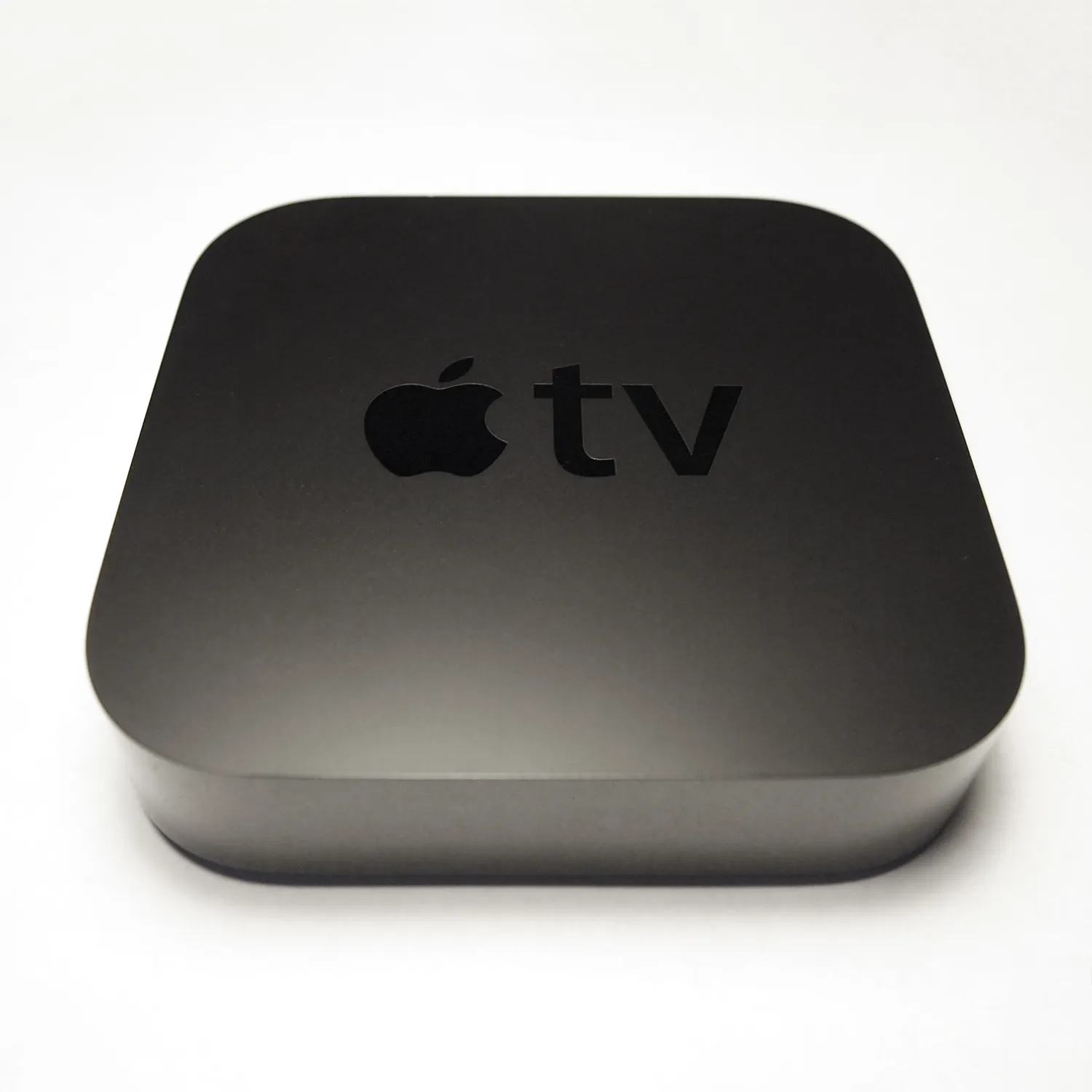
So last night, as an early anniversary present, Sarah got me the new Apple TV.  Not the rumored buy-a-whole-TV-from-Apple Apple TV, but the third-generation set-top box from Apple.  My first impression is that this is an interesting little piece of machinery, and will largely replace my first-gen Roku, plus do a whole lot more.

The Apple TV is a very minimalist piece of hardware. It’s black, not much bigger than a hockey puck, and has no markings or logos other than a low-visibility logo on the top, and a light on the front that isn’t visible when it’s not illuminated.  The back has jacks for power, ethernet, HDMI, optical audio, and a mini-usb that is for “service use only,” whatever that means.  Other than the dust cover on the optical audio jack, there are no moving parts; it does not contain a mechanical hard drive or a fan. The whole thing is very low-key.

That’s the weird impression I get about a lot of Apple hardware and software. You plug everything in and think “ok, now what?”  And then suddenly, it becomes irreplaceable, because it Just Works.  That’s the way the iPad was.  I got it, fired it up, and thought, “okay, I have a web browser and all of my phone’s apps on a big screen.  So what?”  And then a week later, I was using it constantly, for everything. It’s the big appeal of ubiquitous computing; there’s no dazzle or show, but it’s something that’s always there, and totally utilitarian.

So, what’s it do?  Well, I plugged it into my TV, and when it fired up, it asked me how to connect to the internet.  I’m out of ethernet in my living room, so I pointed it to my wireless router.  (My first minor complaint is having to type in the password with the remote arrow keys on an onscreen keyboard, but that’s what I get for not having a wireless password of ABCDE.)  Then it asked me for my Apple ID and password, which is what I use to buy content on iTunes.  And then, main menu.

The obvious use for the Apple TV is for consuming content you’ve purchased within the walled garden of iTunes.  So if you’ve bought movies or TV shows or music in iTunes on your computer, or your iPad or iPhone, you can navigate the menus on the slick interface and see all of that stuff, and stream it to your TV.  The unit does not store any of the content on the box itself.  (It does have 8GB of SSD storage that it uses for buffering/caching, but those details are hidden away to the user.)  Of course, if you’re living in some rural outback shithole with a 56K modem, this is an issue, but for me, it isn’t. All of this works fine, and of course you can do stuff like peruse the iTunes store from your living room, and click on things to rent or buy them.  Part of the reason for doing all of this is to make it easier for you to throw money at Apple with very simple clicks, and this part, of course, works very well.  And any of your purchases here are added to your Apple ID, so when you go to your iPad or iPhone or MacBook, you’re going to have the same purchases available.

There are a number of other non-Apple streaming services available from this menu.  The obvious is Netflix, and if you’re already paying them, you can log in and stream all of their stuff.  There’s also MLB.TV, Vimeo, NBA TV, Flickr, and the biggest win for me, YouTube, which was not available on the Roku.  I spend a lot of time watching obscure UFO conspiracy theory documentaries on YouTube, so I will now be able to watch them on the big screen.  The one missing feature, for obvious reasons, is Amazon.  That’s a huge one, since we use Amazon Prime, but the PS3 offers that now, so all is not lost.  Another minor quibble is that there isn’t a way to add any channels.  I don’t know why I miss this feature though, because the Roku has it, and has a million channels to add, all of them being garbage.

The big feature that is not as obvious is that the Apple TV will stream whatever is in your iTunes library.  This means that even if you never bought a single thing from Apple, you can still stream all of the stuff you’ve ripped or stolen off the internet, from your computer to the TV.  This is big for me because I rip a lot of my DVDs so I have crap to watch on planes. Once the Apple TV found my laptop on the local network, I had a catalog of movies waiting for me when I plugged in.  Also, a lot of comedians have been doing this Louie CK model of a $5 downloadable concert, and I have all of those sitting in iTunes, ready to roll.  My former CD collection, which is now all ripped and sitting on my hard drive, is also available. Also, iTunes works as a conduit to iPhoto, so I can look through all of my pictures on my computer on the TV.

The other interesting thing is AirPlay.  Basically, the Apple TV acts as an AirPlay receiver, and any iDevice that supports AirPlay or has a program that does can pipe its output to the TV.  This is an extremely freaky and endlessly useful feature.  For example, if I’m sitting in the living room with my iPhone in hand, looking at a baseball game in the MLB At Bat app, if someone hits a home run or whatever, they will post a recap video.  I press play, but I click a little AirPlay logo and choose my TV set, and suddenly, I’m watching the video in 42” glory, instead of on the tiny screen.  A bunch of games and apps support AirPlay, and will pipe their audio or video to the Apple TV.  This is also cool if you have the Apple TV plugged into a receiver, so you can use your stereo’s speakers as an output destination for audio from your computer or iOS device.

What gets even more mind-blowing is AirPlay mirroring.  If I’m on my iPhone, I can mirror my entire display to the TV wirelessly, regardless of what I’m doing.  The one downer to this is that the only device I currently have that supports AirPlay mirroring is my phone; neither of my laptops or my first-gen iPad have the GPU power to do this.  But it’s interesting, because if for example, I had a company that was an all-Apple shop, I could put an Apple TV on a projector in a conference room, and when a presenter needed to connect, instead of fucking with cables and adapters, they could just beam their stuff right into the projector.  (And of course, this is password-protectable, so your neighbors can’t suddenly shoot pornos at your TV at three in the morning.)

Like I said, this thing comes with a remote, and it’s a tiny piece of shit IR thing that I will probably lose in a week.  If I was smart, I could reprogram my all-in-one that drives my DVR so it would also work the Apple TV, but I’m lazy.  Luckily, there is a free app called Remote that I already have on my iPad and iPhone, that enables me to use them as glorified remote controls.  So when I have to search for something on the TV, I can use the keyboard on the iPad to do it.  (I suppose I could also bluetooth in my real keyboard to the iPad, like if I had to type a dissertation into the Apple TV, but I’m not there yet.)

All of this works perfectly and is an entirely disruptive technology if you’re using all Apple devices and have a bunch of crap in iTunes.  If you prefer registry fondling and DLL conflicts to usability and getting work done, I have no idea if the Apple TV plays well with the Windows version of iTunes.  And I’m certain there are some hidden DRM nightmares that prevent you from doing certain things, although the system seems perfectly capable of taking torrents you pirated off the web and playing them in 1080p glory.  (Not that I would ever do that, Mr. MPAA intern scouring the net for possible lawsuits.)  If you have philosophical issues with iTunes, cloud computing, wireless networks, and not owning physical copies of media, this isn’t for you.  But for me, it’s an almost perfect solution.

There are some minor issues, like the lack of an app store or method of adding channels.  The Apple TV uses the same processor as the iPhone, and a customized version of iOS, so I would suspect some kind of app store in the future, with the ability to add games and whatnot.  (There have been some jailbreaks for the first and second generation that enable you to do some freaky stuff like this, but nothing for the new version.)  Or maybe the philosophy is to keep the platform as just a receiver, and focus on iOS and Mac apps that use AirPlay.  There’s huge potential for kick-ass games that use AirPlay as the main display and your iOS device as a controller.

Anyway, it’s a cool little present.  Now I just need to go buy a new iPad to get mirroring to work.  Maybe that’s how they’re able to sell these things for so cheap.

What happened to hypercard?

Hypercard was released 25 damn years ago.  Has it been that long?

Back in college, I spent a lot of time screwing around on the Mac, and there were certain programs that welded that old-school 68K Classic Mac experience in my mind.  One of them was Aldus PageMaker, which was the desktop publishing program of the day. This was in the very early 90s, in the days of DOS and WordPerfect 5.1, when the most advanced publishing work you could do on the WinTel side of things was using italics.  But the Mac had this funky and advanced program that enabled you to create page layouts and cool newsletters and even newspapers.  I saw many a journalism student slaving away on those old black-and-white Apples with the tiny grey screens, tweaking layouts and dumping fantastic publications to postscript printers.  I later learned PageMaker by doing the last issue of my old zine Xenocide in it, spending months tweaking page borders and reflowing columns.

The other program I messed with endlessly was HyperCard.  This was something included on all of the old Macs, and it was incredibly interesting to me.  Basically, you created a stack of cards, and each card could have a mix of text and clip art graphics on it.  But you could also plop controls on the cards, like links or text boxes.  You could then hook up those controls to link cards to each other, or do other freaky stuff like run scripts.

This sounds pretty pedestrian compared to what we do daily on the web.  And it sounds disturbingly like PowerPoint, which is probably one of the most evil things created in the business world. But back then, in the late 80s and early 90s, these concepts were absolutely revolutionary.  And even better, the interface to HyperCard was not that intimidating.  If you could make basic art in MacPaint or write a paper in WordPerfect, you could easily create a HyperCard stack.

I remember spending a lot of time at work creating a choose-your-own-adventure game using HyperCard.  I forget exactly what it was - I think it was a game about trying to score drugs on a college campus, and you could click on various pictures to move around.  It wasn’t exactly as sophisticated as the Zork series, but it was something I could do at work, under the guise of “learning more about HyperCard.”  I never learned much about the scripting language, but I did work with some people who did pretty sophisticated stacks.  The system was widely used by education majors, I guess to develop learning tools for kids.  I guess the original Myst on the Mac was written in Hypercard, each of the worlds a Hypercard stack, interlaced with heavy-duty graphics and audio, presented with custom plug-ins.

Like I said, the web came along, and HyperCard more or less vanished.  It was one of the products developed by Claris, which was spun off from Apple and then later re-merged.  The last version of HyperCard came out in 1996, but it was one of the projects killed by Steve Jobs after his return.  You could run old versions for a while, but it did not survive the jump from OS9 to OSX.  You could get it to work in Classic emulation on newer systems, but it only worked on PPC Macs.  On today’s Intel-based machines running later versions of OSX, it doesn’t work at all.

Its one big legacy on the Mac is that the HyperTalk scripting language was adapted and added to System 7, and called AppleScript.  It’s still around in modern versions of OS X, and is even more interesting, now that you can run unix commands from within AppleScript.  It influenced the development of HTTP, JavaScript, and Ward Cunningham said the whole idea of wikis goes back to using HyperText.

To me, HyperCard was always a bit of a missed opportunity.  I think it would be very easy for casual users to create HyperCard stacks and then use some kind of tool to push them to a web site; it would potentially be easier to create high-quality interactive web sites with something like that.  There are probably many programs that you could buy to do that, but none that come with your operating system and follow its UI paradigm.  It would also be great to develop mobile apps.  I could see creating a stack, testing it out on your computer, then pushing it through a compiler and shooting out a binary that could be run on a phone or tablet.  You couldn’t write the next Skyrim that way, but for simple stuff, like interactive kid’s books or multimedia guides, it would be great.  Same thing for interactive books on the Kindle or iPad.

I know you can do all of these things with XCode or by hand or whatever, but there’s something about the ease of use by a non-programmer, and the availability on every Mac, that make this a different paradigm.  There are some conspiracy theories that Jobs killed Hypercard in order to solidify the division between creator and consumer.  I don’t know if that’s true; I think he killed it because Apple had eleventy billion disparate things going on when he returned, and none of them were getting the company closer to profitable hardware sales or a decent operating system.  It’s too bad we don’t have something like this anymore.

Patents, Apple, Whatever

There’s been a lot of coverage in the news about Apple’s various patent wars against Samsung and others, and the gist of the coverage is that the patent system was 100% fine up until Apple woke up one morning and decided to destroy anyone making a rectangle-shaped touchscreen phone.

I have no real arguments for or against the system, but one argument I keep hearing is “well what if someone patented the car?”  Funny thing is, someone did.  Check it:

http://en.wikipedia.org/wiki/George_B._Selden#The_Selden_patent and the patent itself: http://www.s363.com/selden/549160.pdf

George Selden was granted a patent for his “road locomotive”, and forced all other car manufacturers to license it, for a .75% royalty.  Ford later fought this in court, and lost; it was only on appeal that they were able overturn the patent.  The eight year legal battle almost bankrupted Ford.  This happened, by the way, over 100 years ago.

Another example of the fact that the patent system wasn’t all rainbows and unicorns until the invention of the iPhone: did you know that the Wright brothers were awarded a patent on the airplane?  More specifically, it was a patent on flight controls in all three axes, but they vigorously fought (and initially won) a huge lawsuit against Curtiss. It effectively blocked the building of airplanes in the US until the first World War, when the government stepped in and formed a patent pool.  (More info: http://en.wikipedia.org/wiki/The_Wright_brothers_patent_war)

There have been countless patent battles in the last century, and this Apple/Samsung thing is just the latest iteration.  I think it’s different now because people have such an attachment to their devices, that their brand loyalty becomes the newest us versus them.  Look at the comments on any of these news blogs from the Apple or Android or Microsoft fans (or whatever pejorative term you prefer) and you’ll find a level of hate and vitriol usually seldom found outside of a political news web site.  And in the days of page count-generated revenue, it’s far too easy for the gizmodos and engadgets of the world to throw up a daily article saying “is the new XYZ an iWhatever killer?” and let the ad imprints roll.

I am an Apple user, and that obviously influences my opinions.  But I also worked at a Samsung R&D lab, and saw things internally that strengthen those opinions. I should probably go back and re-read my NDA and exit papers before I say anything about Samsung and their design aesthetic.  I wouldn’t want Samsung to send me to prison for libel.

Anyway, the patent system may be horrible and broken, but the idea that it suddenly happened recently is off by a century or so.