The Wrath of Kon

Dispatches, thoughts, and miscellanea from writer Jon Konrath

Tag: apple

The Watch

I got an Apple Watch this week - it was an anniversary present from my wife. I’ve vaguely wanted one, but wasn’t sure. I’ve used it for a day now, and it’s interesting in the same way all new Apple products are interesting to me.

I’ve had two different experiences with new Apple products: either it is a complete game-changer, or it doesn’t seem to offer anything, and over time, it slowly becomes apparent why it is valuable. A clear example of the latter is the Apple TV. We had a Roku box, and replaced it with the Apple TV. And at first, all I thought was “okay, more of the same.” It didn’t run apps, didn’t do anything special, and was pretty much the same thing, with a different UI and slightly different lineup. But then its value became slowly more apparent as I realized I could stream anything from my Mac into the living room, and use AirPlay to mirror over video from an iOS device.

Other things hit it out of the park. Switching from a big tower PC with Linux to a little Mac Mini in 2005 was a complete game-changer. Moving from a MiniDisc player to an iPod with every piece of music I owned was a complete paradigm shift. The move from a crap Windows Mobile phone to an iPhone in 2009 was a huge thing. I think any time I replaced something with an Apple equivalent device, it was a major positive change, and usually added functionality that greatly helped my productivity. Or, in most cases, it removed distractions that gave me much more time to focus on other things.

The iPad was a weird example, though. It didn’t replace anything; it was an odd supplement. It did take over using an old laptop when I was sitting on the couch watching TV, and made the passive second-screen experience much more fluid. It also took over using my main laptop on planes or during travel. But it ping-ponged between being too big to be a phone and too small to be a laptop. I tried bringing only it on small trips, using it as a writing machine with an external keyboard, and it never really hacked it. I also used it as an ebook reading machine, before I largely gave up on reading ebooks, because they are horrible and you really should read everything on paper. I love the iPad, but it’s stuck in this chasm between what I need and what I want.

That brings us to the watch. First, like any other Apple product, it is immaculately designed and engineered. The display is incredibly crisp and radiant. The lines of the case are smooth and minimalist. The way it sits on the wrist is not overly “techie” looking like a Pebble watch or other smart watches. It’s very sleek and smaller than my last watch, a Timex Expedition.

I’ve always worn watches. I never don’t wear one, including at night and in the shower. Since high school, it has been a changing cast of plastic waterproof Timexes and Casios, ranging from the most basic drug-store cheapies to a few more expensive G-Shock and Ironman models. My only real requirement of a watch is that I don’t need to think about it, that it is ultimately waterproof, unobtrusive, and has a battery that lasts a long time. I don’t care about fashion or gold or leather or any of the fetishistic Rolex-esque collectible qualities. I dislike analog watches, and I don’t care for wind-up or mechanical watches. If I have to have features, I want a date function, maybe a multiple-timezone thing, a very readable display, and a light is key.

I’ve wandered into the world of smart watches only in the earliest ideas of it. I did have a solar-powered G-Shock with altimeter, barometer, and all that jazz. It was okay, but did not charge well indoors, and I never went outdoors. I did a few different iterations of the Timex DataLink, which was interesting, but ultimately flawed. I generally like the look and feel of Timex, but it always seems they don’t test the UX of their watches, or they generally have 80% of the features I want, and the other 20% is sheer stupidity. And then when they break a year later, you have no way to replace a weird-shaped proprietary band or get them repaired, so they are ultimately disposable.

There are obvious issues with my demands that an Apple Watch won’t meet. It needs to be charged daily. There are Apple apologists who say you can maybe get two days out of it if you turn everything off and don’t actually use it, but get real — you need to charge it every day, for about 45 minutes or so. You could do this at night, but I like to have a watch on at night so I can read the time when I wake up at 2

, and I’m interested in tracking sleep. I also can’t really wear the Apple Watch in the shower. You can, but it’s “splash resistant” and not “water resistant 5M” or whatever. Washing hands with it on is fine. It’s probably best to keep your wrist clean and avoid irritation, too. So I will try to kill two birds here and put it on the charger in the morning while I am getting ready, and let it charge while I’m in the shower. That’s a change in workflow, and I’m super anal-retentive about getting ready in the morning and do everything in the same exact order like I’m on the spectrum or something, because if I don’t follow a Rainman-esque procedure, I end up putting on deodorant four times and then only shaving half my face. So I need to get used to the new procedure.

The interface to the watch is interesting. It’s a new paradigm. When the iPhone came out, it took a page from the Palm Pilot playbook and made itself a subset of the Mac from which it synced, so you took only your essential data and mirrored it to your phone, along with its own Apps. This is different than the way Windows Mobile and now some Android phones work, with a different methodology, in that the phone is a PC, and the data is partitioned or divided between the two in some hodge-podge manner just like if you had two completely different PCs in your house. My friends who believe in the phone-as-PC are dumbfounded by the phone-as-subset paradigm, and think it is an indicator that the iPhone is “stupid” or “cobbled” because it can’t do everything a PC could. I see it as the opposite; a phone masquerading as a PC usually can’t do everything as well. The input and output methods on a phone aren’t the same as a PC, so you need to tailor the UI of the phone differently, to expect a touchscreen and fat fingers and less viewing area. You also want to keep a phone lightweight, so it requires less CPU and uses less battery. (This is more apparent on the tablet-as-full-PC paradigm, like the Surface. When you transfer an entire PC to a tablet, you also bring over all the parasitic overhead of an OS that has to be backward-compatible 20 years, so you have a disaster of a registry system, DLL hell, the requirement of a thousand background processes and virus scanning and obsolete drivers for floppy drives and line printers polluting your OS, and random PC LOAD LETTER errors or whatever the hell else you don’t want popping up in a Win 3.11-esque UI on your tiny touchscreen.)

So the Watch is a subset of a subset. It pairs with your iPhone and gives a glimpse of its data through a bluetooth tether, with a certain amount of computing working through its own CPU, memory, and network connectivity in the form of WiFi. I don’t know what the division is; this is hidden from the user. It’s fairly seamless; you put on the watch, tell your phone to pair with it, and after scanning a weird QR-like code on the watch face with your iPhone camera, it’s done. It is odd to think of this Russian dolls method of nesting, but that’s how it works, and it works.

I was worried the watch UI would not work out for me with my rapidly diminishing nearsightedness, but it seems fine. The big change is the haptic interface it uses to send notifications. This is more than just a single-frequency buzzer; it uses some kind of variable motor that can make notifications feel like a “tap” of different frequency to send things to you. Depending on the app, this can be quite effective. The issue is how to standardize this on apps, or have an app come up with a good idea of how to notify you. For example, the Apple Maps app uses different tapping to indicate when you should take a turn, which is pretty genius. I think there is a good possibility for an app that uses taps to do things like tell you running pace or notify you of different types of communication via a morse code-like tapping system, to change the need to look at things. I don’t know what yet, but the idea of a haptic sensor in such a prominent place (as opposed to a phone in a pocket) could mean something significant in the form of direct communication beyond the sense of sight.

Apps right now are limited, and it depends on what you want to use the watch for. There is essentially no good input device for the watch, aside from Siri. If you use Siri a lot now, this is very useful. I use Siri at least ten times every time I cook (I can’t do measurement conversions at all — sorry for failing you, grade-school math teachers) and having it on my watch is wonderful. If you make a lot of quick phone calls, having a speaker phone on your wrist where you can yell “call home” is very useful if you drive a lot. Frequent texts, in the form of “send a message to Joe saying I’m going to be ten minutes late” is helpful.

Many of the apps — especially the mail app — are in their primitive, first-stab level of functionality. When I was sitting in bed, it was useful to open mail, and immediately delete half the messages, which I always do. But as I was doing this, it reminded me of 1999, when I had my first Sprint PCS phone, a flat rubberized slab of butt-dialing goodness that had a tiny calculator screen to show you texts and what it thought was “mobile web,” a rough and dumb approximation of browsing the internet in the form of showing you the first 18 characters of a stripped-down web site after about a minute of loading. Reading my mail messages on this little screen made me think back to those early days of reading mails on the tiny square screen of a Nokia, with no adornment or spacing or anything, just bare words in a little LCD box. It looks better and smoother on the Watch, but in my mind it is a representation or reminder of that feeling of “this is our first go at this, but in ten years, this is going to be phenomenal.”

Some apps are silly, or plain dumb. Apps are not separately synced; an iOS app may or may not have an associated Watch app. When your phone app has a watch app, you get it when you sync. As an example, the Walgreen’s phone app has a Watch app, and all it does is remind you when to take your pills. That’s it. I could have used a Watch app that showed me my rewards balance, but no. Some apps are decent. Like the Yelp app is pretty good at giving you condensed choices. The Weight Watchers app is buggy as hell and largely useless. The MLB At Bat app seems to be well thought-out, but won’t even launch for me. I think this will get better as the new native apps API get out there. The possibility for good apps exist. Maybe now that they’ve sold a few billion dollars’ worth of watches, they will start to happen.

Built-in apps are good. I like the idea of controlling iTunes with my watch. The messaging apps are decent. I rarely text or use the phone because I’m an introvert shut-in with no friends, but if you talk to friends a lot, there’s a lot of usefulness there.

One of the main reasons I wanted the watch is to keep track of fitness and quantify that. The sensors for this are excellent, as is the activity monitor. I normally use a Fitbit to count steps/floors, and the Watch seems to count slightly lower, which is normal for a wrist-mounted counting device, I think. The heartbeat sensor is pretty good. The integration with Apple Health is awesome. I first used the exercise monitor feature on yesterday’s walk, and it was great to capture my heart rate changes during the usual fast-walk with hills. I also used the Sleep++ app to track sleep last night, and that worked well.

All in all, it’s an interesting device — I’d like to see how it works out in the long term, and find more uses for it with regard to the usual writing/research/data collecting/tasks workflow.

The Death of Aperture

So Apple has killed off Aperture, the photo program I’ve been using for the last few years to slog around the 30,000-some pictures I’ve taken. iPhoto is going to die soon, too. They’re replacing both with Photos, a dumbed-down port of the featureless picture program that’s on the iPhone. Oh, but that has The Cloud, so I’ll be able to dump 100 gigs of photos, pay $4 a month rent on them, and then live in fear that I’ll accidentally have some switch flipped in a system update and burn through my monthly data cap when it tries to sync all of that stuff to my phone seven times every time I leave the house.

I know, “why don’t you just put all of your pictures in a big hierarchy of folders on a hard drive and not keep them in a database?”  Because I actually need to find shit, and it’s not 1997 anymore.

I moved everything from Aperture to Lightroom yesterday. There’s a plugin for Lightroom that does most of the deal for you. I bitched about this endlessly, and it ate up a few days of my time, but I guess it wasn’t as bad as it could have been. Here’s the various observations and gotchas:

  • It helps if you clean up your Aperture library first. I found I had an insane number of scans that were impossibly huge and didn’t need to be, and a lot of RAW files of dumb stuff that I didn’t need. I like to keep RAW files of Hawaii sunsets, but if it’s a picture of a dumb sign or a Taco Bell, I can smash it into a JPG and still sleep at night. My library was about 140 GB, and I got it down to about 85 GB before import.
  • You basically need your library size in free space on a drive to do the conversion, so good luck with that. I chose to convert in-place, so I freed up about 100 GB, put the new Lightroom in ~/Pictures/Lightroom* and then moved my old library off of my machine to a backup when I was done.
  • Back up your shit before you start. Back up your machine in general. Clone your entire drive regularly, not just your documents.
  • Lightroom puts all of your master photos in a hierarchical tree, just like I made fun of, and then keeps a separate database of metadata and non-destructive edits. The database itself isn’t that big. It keeps a previews database, too, and that can get big, depending on how big you make your previews.
  • Lightroom Folders = the hierarchy where stuff is stored in the above. I used Aperture folders projects as the “hard” dividers of what photos were captured in my library, although those are just virtual and you can move them around.
  • All of my photos ended up in a folder tree like this: LightroomMasters/YYYY/MM/YYYY-MM-DD/files* I don’t know how it decided on that hierarchy. I think it’s based on actual imports into my Aperture library, and not capture time or EXIF data or projects. I guess that format works for me.
  • Your tree in the left panel thing for Folders won’t look right. Right-click on the folders and do “Show parent” endlessly until it looks right.  (I.e. show the parent of the three levels of the hierarchy. Is there a faster way? I can’t find one. You only have to do this once, though, I hope.)
  • An Aperture Library = a Lightroom Catalog. I only had one Aperture Library. If you keep multiple Libraries, I don’t know what to tell you.
  • Aperture albums and projects are converted into Lightroom Collections. I.e. a Collection is a “virtual” collection of photos from your folders, and if you add or remove things to a Collection, you aren’t touching your stuff in folders.
  • If you edit the Collections made from your Aperture projects, you aren’t actually moving your masters in your folders. That’s a huge pain in the ass for me. Like I found a bunch of scans I took in 2006 that were pictures from, like, 1979. They should be in the folder for 1979, and they aren’t, so I had to find the pictures, then move them into the right folders.
  • All of your Aperture Smart Albums are broken. You can possibly use Smart Collections to replicate that, but you need to do it over.
  • All of your Aperture edits are gone. If you did edits, static preview images of the edits were imported, but you need to start over using Lightroom’s tools to do them again.
  • Any of those edited images will not have a Capture Time in them. The default grid view in Lightroom is sorted by Capture Time. So you’ll have a big mess there, and have to spend some time with the Metadata > Edit Capture Time settings.
  • I don’t even know what happened to shared albums. I don’t even care. I’ll start over. Nobody looks at my Flickr page anyway.
  • You end up with a huge shitstorm of dummy Collections with nothing in them. This is probably my fault, but I had to do a bunch of cleaning there.
  • At this point, this bulleted list is longer than I wanted and nobody’s reading, so figure the rest out. It will 90% work, but you’ll probably spend a weekend futzing with it after import.
  • Back all of your shit up again after you do all of this, and not on top of the old backup.
  • Do all of your imports in Lightroom. Don’t just dump images into your Masters directory or Lightroom won’t know they are there. If you want to dump them to a folder because you have a piece of shit phone without a modern sync, you can make Lightroom watch a folder and auto-import it. You can also do various schemes like watch a Dropbox folder and dump pictures there, like screenshots or your security cameras or whatever.

Here’s the main problem with Lightroom: there is no good way to sync with an iPhone (or iPad.)  You can set it up so when you plug in your phone and Lightroom will start and go directly to the Import screen and then import your photos, which is mostly how Aperture worked. (You could also just mount your phone and drag the files to your ~/Pictures directory if you are an idiot and want to lose all of your metadata and spend hours dealing with duplicates and creating new subdirectories and moving files around and whatever else.) So import is fine.

But there’s no real way to export and sync files to your phone. There are half-assed ways, but you can’t use iTunes to do it automatically anymore. It used to be in iTunes, I could say this:

  • Go to my iPhoto/Aperture library
  • Get my last X months of pictures, plus these other Albums I’ve selected
  • Sync those to the phone, and also clean up the ones that aren’t in the above, so my phone doesn’t slowly fill up and I end up trying to sync and I have 62GB of pictures on my 64GB phone and I have to spend a weekend deciding what to kill, and then the fucking thing will try to resync the 62GB anyway.
  • Do all of the above without me thinking at all, with no interaction, without opening iPhoto or Aperture, because life is too short.

There’s no way to do any of this in Lightroom. The closest I can think of is this:

  • Tell iTunes to sync from a folder.
  • In Lightroom, create a Publish Service that dumps a Smart Collection to a directory.
  • Remember to open Lightroom and click Publish before every time you sync your phone.
  • I don’t know how this handles duplicates or if it deletes old images. I haven’t tried it.
  • This is horrible.

There are some various plusses to Lightroom, I guess:

  • My library size dramatically dropped. I went from about 85 GB to about 70 GB. It’s possible that I just haven’t generated previews for everything and that will slowly climb.
  • Lightroom processing tools are supposed to be better. I haven’t gotten into that yet, but I spent a few minutes futzing with some RAW images, and it’s not bad.

So there’s what I did for the last few days instead of writing.

Ode to a Mid-2010 MacBook Pro

IMG_0030

My MacBook died yesterday. Shit.

It wasn’t a full-on, catastrophic death, the kind with no backup and fire and smoke and no hope. It was more of a long goodbye. I replaced the battery last fall, the third battery in its almost five years of heavy use. It looked like the battery was holding a full charge, an app saying it had low cycles and high milliamp-hours. But it would lose a few percent per minute, and then would get down to about 20% and power off with no warning.

I thought this was one of those background-process-sucking-power things, like some damn Adobe vampire lurking in the shadows, constantly pinging home and scanning every file on the hard drive. I tried killing everything imaginable, and then tried a fresh install, zapping the NVRAM, resetting the SMC. After a 24-hour marathon of file copying and reinstalling, it died on 90% battery.

I bought this computer in 2010, in the spring. I jumped on board right on the first day of the new model, when the first i7 Macs appeared. I remember this well, because it was right after I switched jobs and left Samsung, so I worked in Palo Alto. I was in a funk, writing-wise, trying to pull back out of a long stretch of not doing anything except writing every day about how I could not write.

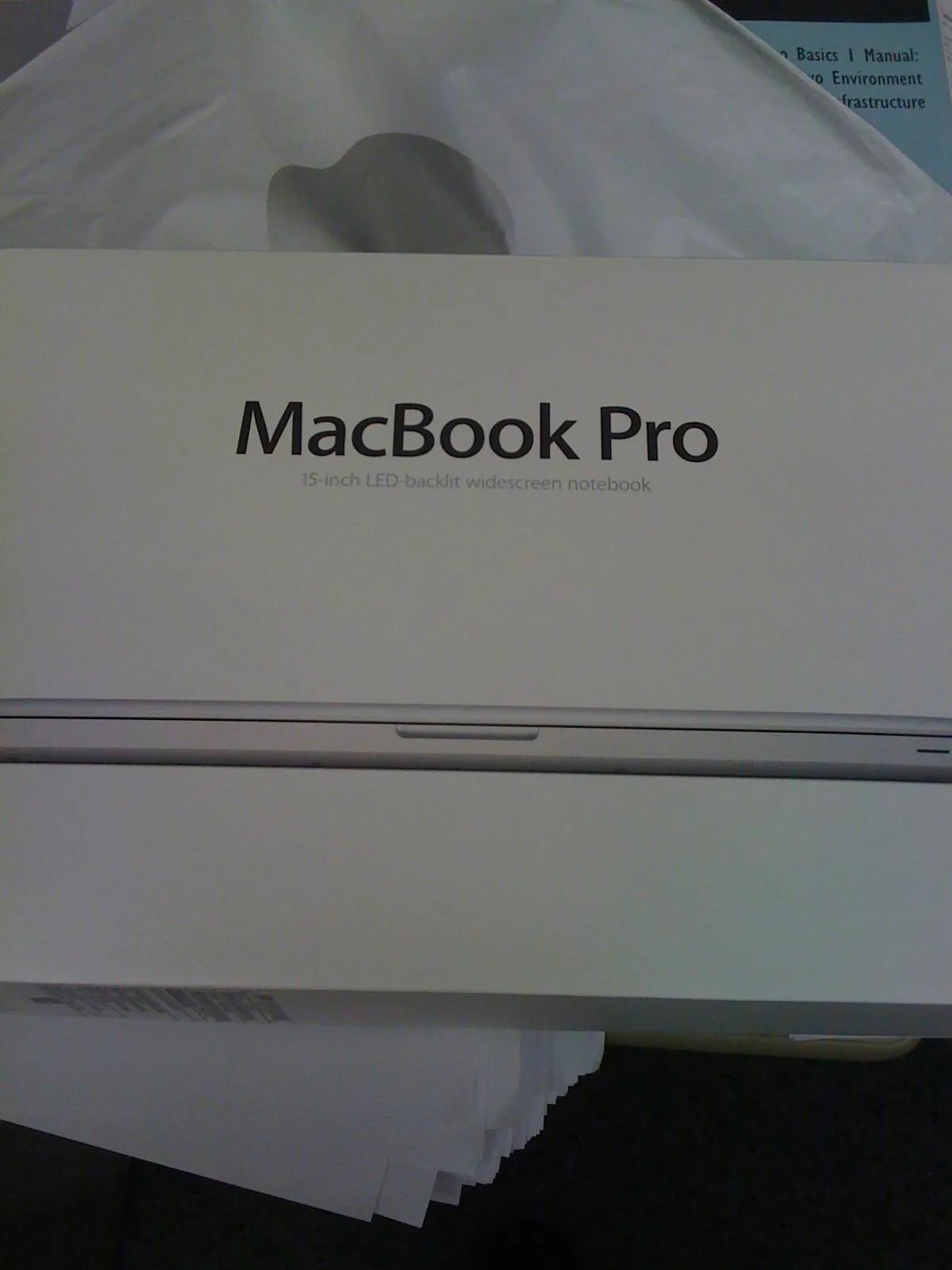
I drove to the Apple store in Palo Alto on my lunch hour to buy the computer. They had them in stock, and $2500 later, I had the top-of-the-line 15-inch MacBook Pro. I took it back to my cube, unboxed it, snapped photos, and took a quick look. Then it sat on my desk while I stared at it, waiting until the end of my shift for my long commute back to the house. Then I plugged it into my old Mac, and did the eternal wait for the migration assistant to slowly slurp all of the files from one hard drive to another.

This was both exciting and sad. I had an unusual attachment to my first Macbook, one of the 2007 white plastic not-Pro Macbooks. I wanted a new laptop bad, but wasn’t working that summer. I was sitting on a bunch of junk after we moved to Denver, though - things I could easily dump on eBay. There were years of bachelor-mode acquisitions ripe for the picking: collectible coins, old electronics, DVD and CD box sets, and a bunch of barely-used gadgets and trinkets. I spent the first part of the summer unloading all of this on eBay, making sales and watching auctions and driving to the Denver post office to ship off boxes and packages to far-off buyers around the country. The PayPal balance grew, and by the end of June, I got within target, and orderedd my new machine. I then watched the tracking number, as the machine left China, went to Anchorage, and then jetted down to Colorado. I loved that machine, and it went with me everywhere. It also represented that odd, brief period of 2007, a period of nostalgic landing I always want to visit again.

That machine got quickly retired for its more powerful aluminum unibody sibling. And by the fall of 2010, I started working from home, and got a lot more serious about writing. I can’t thank the machine or the schedule, but launched into a new mode of writing and publishing. And that machine was at the center of all of it. Since I got that MacBook Pro, I’ve published five books (plus republished another) and probably written a half-million words, easy. I also used it for a lot of photography, video, music, and other work. It’s been a real workhorse, and I’ve become very attached to it over the last four and a half years.

That Mac has held up well, all things considered. It did have the dreaded NVIDIA curse, though. That was the first model with a discrete video processor on the logic board, a second GPU that it could switch to for heavy processing, or shut back off for better power use. And a lot of the machines had bad failures. Mine started to crap out a few months in, and ended up getting two logic board replacements, along with a battery replacement because of a recall issue. I doubled the memory, and moved to an SSD. But otherwise, the machine ran well, and lasted longer than any other laptop I’ve had.

I managed to bring that thing everywhere, too. It went to Europe twice; the Midwest a bunch of times; work trips to New York; Hawaii; a bunch of trips all over California. I got a lot of writing done on the road, because I used it as both my desktop and portable. It got scratches and scuffs, but that aluminum case kept it together, and still looks decent.

The battery thing was the kicker, though. I don’t even know if the battery itself was bad, or if it’s another logic board flake-out. It’s still a decent machine, CPU-wise, although the lowest-end MacBook Air now benchmarks higher than the 2010 top-of-the-line. It didn’t have USB3 or Thunderbolt, and had the slower SATA bus, so the SSD drive didn’t work at full speed. I also could not increase the RAM any more than 8GB, and it would not mirror its display to an Apple TV. I seemed to get in at exactly the wrong time, when all of these technical innovations were showing up. It was a great machine, but it was starting to show its age.

After yesterday’s death, I gave up, ran to the Apple store, and bought the latest MacBook Pro Retina. I went down to the 13-inch model, which feels insanely light and small compared to the old one. I’ve spent the last day porting things over, and it’s such a huge improvement in speed. Plus it’s got USB and Thunderbolt, and gigabit ethernet, and the Retina display is insanely nice. Most importantly, I’ve been working for an hour now, and the battery is just down to 97%.

So, start of a new era.  And PSA: BACK UP YOUR MACHINE. Go get a CrashPlan account, drag your important stuff to Dropbox, and get an external drive.  Get two, they’re cheap.  Now, on to the next era of writing with this new toy.

Dropping computers

My Mac is back in the shop.  It has TS4088.  When it switches GPUs to save power, if the computer is hot enough, it crashes.  It’s common on this specific make and vintage, and it’s the problem with buying a computer on the first day of a major revision.  I complained to the right person, and Apple agreed to swap out the entire logic board for free.  Now I just have to wait.  I’m using S’s computer in the meantime, which is much faster than my 2007 MacBook, but I only have my most vital of files on it, like my new book I’m writing.  Maybe this will make me get more done.

My computer is now just shy of three years old.  Once it is back, I am swapping in an SSD drive, which is currently sitting on my desk.  It’s still a good computer, fast and light and well-constructed and all of that.  The logic board thing is unfortunate.  I hope that when it’s replaced, I can get another year or two out of it, although three years is about the right timespan for upgrading.  The only thing I miss having is that the newer models can mirror their entire screen to the Apple TV, and mine can’t.  I don’t know what I’d use that for, especially since it’s easy enough for me to mirror any movies on my computer to the TV.

I went to the Apple store to drop it off.  I drive down this ghetto back road that is barely paved, like an Indiana road.  I hit a pothole and one of my wheel covers came off.  It rolled like a Tron deadly disc and went right under a moving semi truck.  Now my car looks weird, with three silver wheels and one black.  I went online and the official Toyota wheel cover is $80 each, or I can get a set of four generic ones with no Toyota logo for $30.  I ordered the generic ones.

As I was walking down from the second floor above me, there was a woman walking in front of me.  She looked sort of like that woman from Cagney and Lacey who was later on Nip/Tuck, the kind of woman that still wears 80s pantsuits with the giant padded shoulders.  She was trying to carry an airline roller bag down the stairs and somehow became discombobulated and fell dramatically, half-flinging the bag, which slammed into the metal hand rail, then bounced and hit the stairs hard, falling down a dozen steps to the landing.  The fall was so stupid and awkward, I was certain she triggered it from some kind of brain aneurysm.  I stopped and asked her if she was okay, and she said she was, but papers from the bag were everywhere.

I’ve been noticing more weird episodes like this every time I leave the house.  Like almost every time I go to a store, someone is in a shouting match with a clerk.  I went to the drug store last week, and this woman was screaming at the pharmacist.  HIPPA rules probably prevent the public disclosure of prescription information, but this woman was screaming the entire episode over and over, so I know what it was.  The pharmacist called her doctor to check on something, and it turns out they could not fill her vicodin prescription for two weeks because she just filled her methadone prescription.  It seems like everyone around is on massive amounts of oxycontin, and can’t sleep at night without valium, and takes a dozen of those five-hour energy drinks every day.  And then when they go to a store, and a clerk is just doing their job, they scream at them like the CIA just called in a drone strike on them because someone misspelled their last name.

The last time I picked up a computer at the Apple store, this happened.  The system is simple: you make an appointment, they help you with your computer.  So they brought my computer out, and set it down in front of a cashier, and all I needed to do was show her my ID, and she would hand it to me, and say “have a nice day” or something.  But in that heartbeat between the guy handing it to her and me showing her the ID, a guy comes up, no appointment, broken phone, “I DROVE TWENTY MINUTES YOU NEED TO HELP ME WHERE IS YOUR FUCKING MANAGER.”  I just needed to flash my driver’s license, take the computer 18 inches from my hands, put it in my bag, and he doesn’t even give her a chance to speak, just continuing over and over “I DON’T UNDERSTAND I DROVE ALL THE WAY HERE FROM WALNUT CREEK AND YOU GUYS CANT JUST LOOK AT MY PHONE I DONT WANT AN APPOINTMENT NEXT TUESDAY I JUST DROVE TWENTY MINUTES.”  And so on.

I used to work in retail.  We’d have customers like this.  It wasn’t every day, maybe once or twice a week.  Is it worse?  Is my timing just bad?  Does everyone think they are the center of the universe?  Has the internet made us hate big companies?  Is the quality of everything so shitty now, with everything outsourced and nickel-and-dimed to the point of nothingness, that everything always breaks, with no recourse?  Are we all just cynics because we can’t believe anything anymore?

I’m trying not to let things like this bother me anymore, trying to give people the benefit of the doubt, trying not to lose my cool when it takes someone too long to do something.  I was at the post office the other day, and they were training a new cashier, and I had to mail a book to New Zealand.  The 2-minute transaction took about 7 minutes.  I think 80% of the people in Oakland would have fucking ended that trainee right there, cut off his head with his own chained-down pen and fucked his windpipe as the blood gushed out of his severed arteries.  I just smiled, and let him learn.  He’s a trainee.  It’s a post office job, and if he doesn’t lose it six weeks from now, it’s a good job and he’ll have a pension that hopefully won’t vanish soon.  He could be out stripping the wiring out of houses and selling it for meth, but he’s learning to work at a vital position so he can feed his kids and pay taxes that might someday repave that fucking road that ate my wheel cover.  I’ll give him the five minutes.

So I sit down at the Genius Bar, show the guy my paperwork, he starts to run tests on my MacBook.  Right next to me sits down the Cagney and Lacey woman.  She pulls out her MacBook Air that just fell down two flights of metal stairs.  It has a cracked screen.  “I have no idea what happened.  It must be defective.”

iTunes Rating Bankruptcy

Screen-Shot-2013-01-30-at-2.49.08-PM

Last night, I declared iTunes rating bankruptcy.  I did a Cmd-A Cmd-I, then set the ratings to just over 12,000 songs to zero stars.

I’ve been talking about this for a while.  Actually doing it gave me the combination of exhilaration and terror usually reserved for when you accidentally delete an entire hard drive.  It felt like I’d done a big thing in the war against clutter, but I suddenly realized I’d completely fucked my smart playlists, and would spend the next week or ten re-rating everything.

Email bankruptcy is a term usually attributed to Lawrence Lessig.  It’s when you have so many emails in your inbox that there’s no fucking way you’ll ever deal with them.  So, you do a select-all, hit the delete key, and maybe send out a mail to everyone in your address book explaining that if one was waiting for a reply to an email, they should resend it.  If something important needed a second mailing, it would show up, or the item wasn’t really that important.  This solves the clutter problem, and gives you a clean slate to practice one of those hipster productivity methodologies involving answering every single email in your inbox every day, and either filing or junking everything else.

(I also have the email problem.  But, I’m a packrat, so the bankruptcy thing’s not going to happen.  Well, never say never.)

This sudden iTunes scorched earth action addresses a slightly different problem.  I have these 12,000 songs staring at me every day.  I realize some of you hoarders have way more than that.  I should probably clarify that I actually paid for all of these songs.  I don’t download every single link I see in the off-chance that I may someday need to listen to the second demo by a proto-hardcore band from Jersey City called Jewish Karate.  A certain amount of curation occurs in that I only buy a limited amount of music, an album or two here and there, maybe a half-dozen a month.  That limits the amount of music that accumulates, but not entirely.

I regularly listen to music in shuffle mode. What bugs the hell out of me is I can’t listen to this entire collection in shuffle mode, because then every time some dumb-ass black metal band puts a 37-second intro track of ambient wind noises as the first thing on their album, it will randomly come up and piss me off.  So, I started rating those things with one star, and created a smart playlist that included every item that wasn’t a one-star.  And then, to avoid the stuff that had yet to be rated, I made that so the playlist was items greater than a star.

That’s fine, but sometimes, I’m just sick of a song.  I might want the entire Rush album Moving Pictures, but honestly, I was sick as hell of the song “The Camera Eye” twenty years ago.  So that would get one-starred.  But honestly, I’m not up for listening to the song “Witch Hunt” five times a week, so I gave that a three-star, and then changed around my playlist so it would only play stuff above a three.  I know, you’re saying “why not just trash that song?” but I still wanted the complete album, at least in that case.

I used to carry all of my music on an iPod, and by that, I meant my entire music library went on one of those hard drive-based classic iPods.  But a year ago, when I moved to the newest 64-gig version of the iPhone 4s, I decided to simplify things by only carrying a subset of my library on the phone.  (Prior to that, I carried no music on the phone.)  So, out came the playlists, and I created a byzantine set of rules dictating what got carried onto my phone.  I won’t even get into it, except to say it’s involved.

Here’s the problem.  I’m sick of so much of my music.  I’ve got all of this crap that has four stars that may have been important to me in 1988, but that I really don’t ever need to hear again.  Like, why the hell do I have all of these Grim Reaper and Helloween songs on here that are pure cheese?  And why the fuck should I ever care about Stuck Mojo again?  When I sit down to write, I will sometimes spend 15 or 20 minutes just trying to find music to play.

So, scorched earth.  I nuked every rating, then went back and started checking stuff that I purchased in 2012 and 2013, rating what’s good for me right now.  491 songs are now in the 4s and 5s, which is too few, but at least I’m not hearing music I should have put to rest decades ago.